Muzie Help Guides

Invite New Students to Your Muzie Studio

Invite multiple students to your studio in minutes by sending bulk invitations from Muzie. Use this when you’re onboarding a new class or adding several students at once - just paste in their email addresses, optionally include a personalized note, and send. Each student will receive an invitation email, and once they create their account they’ll automatically appear in your student list.


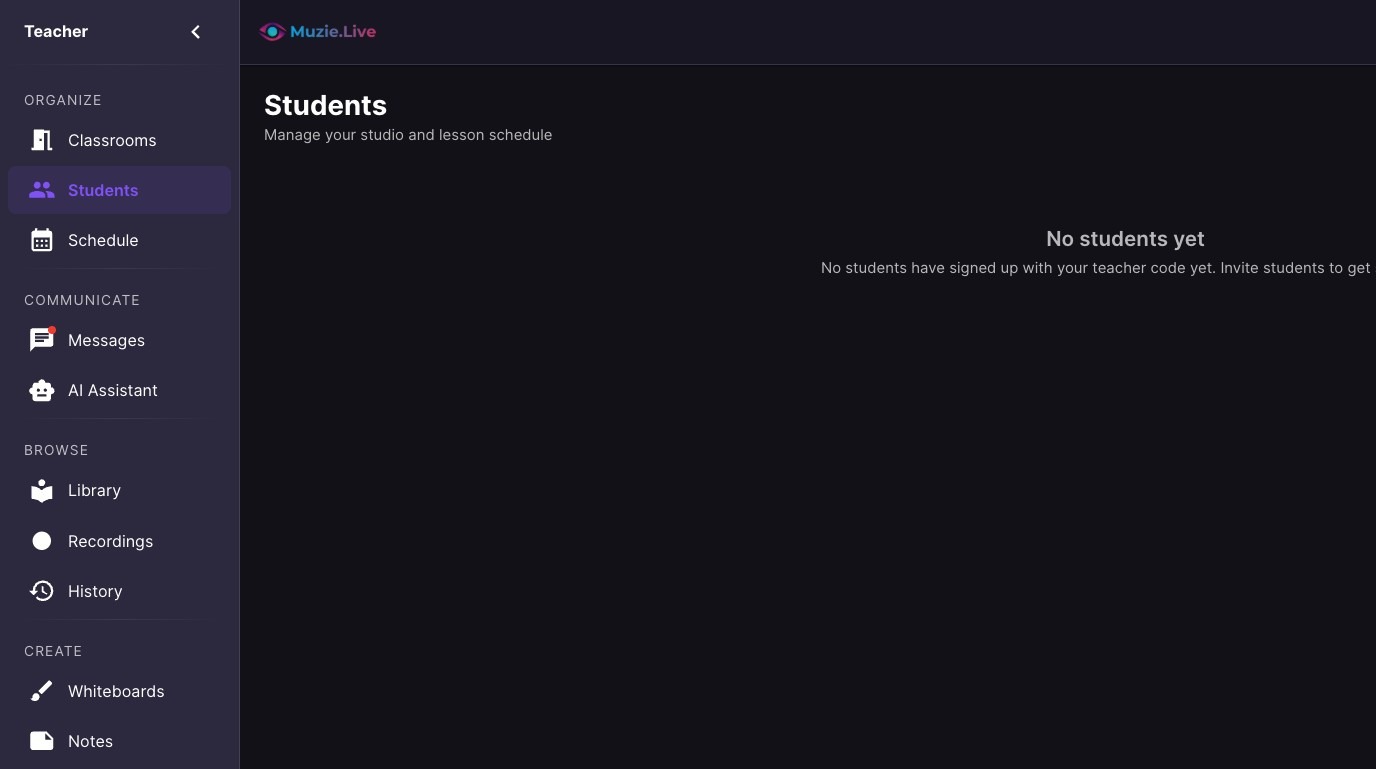
  1. Navigate to Students

ascreenshot_8ea0283855c94ae3a5e08f95d424a674_text_export.jpeg
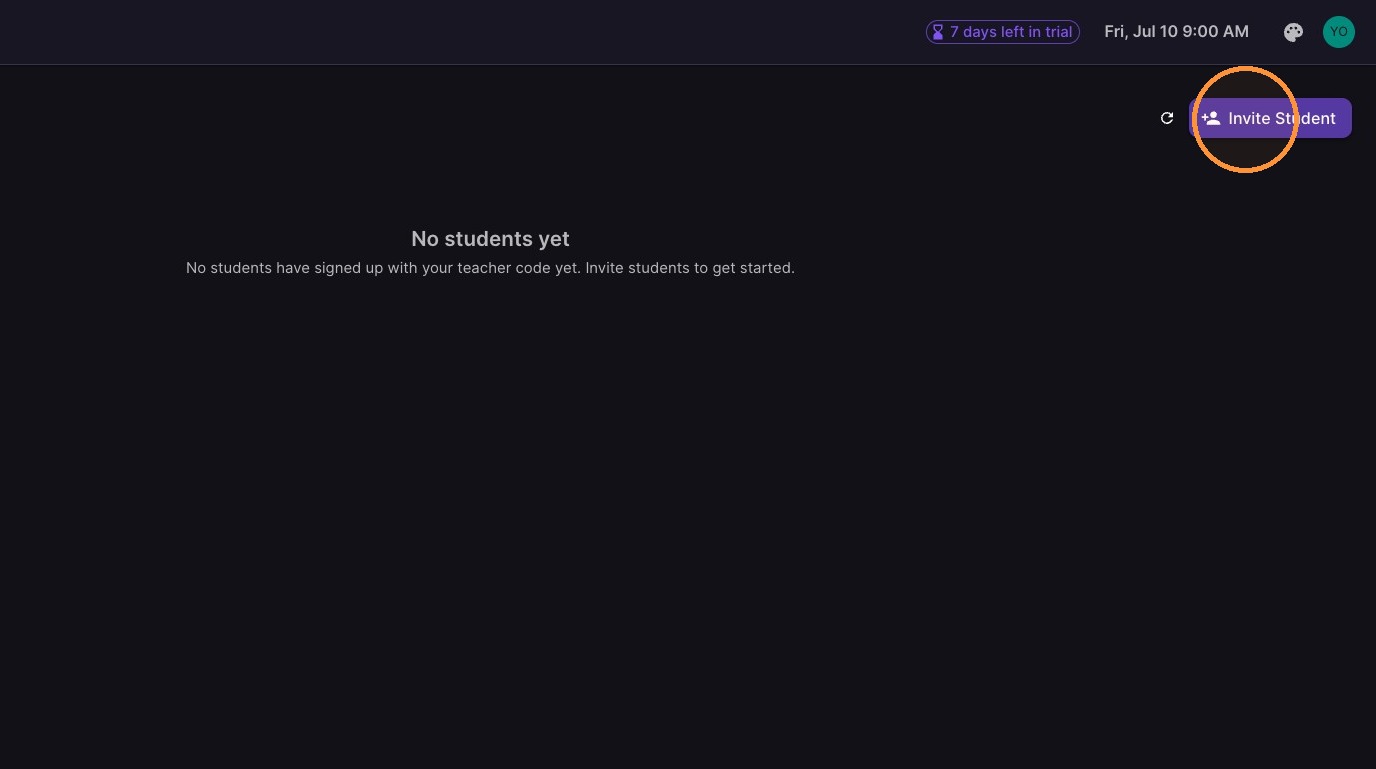
  1. Click "Invite Student"

ascreenshot_e8cfe0b7c4fc494fbf6483e902615dbf_text_export.jpeg
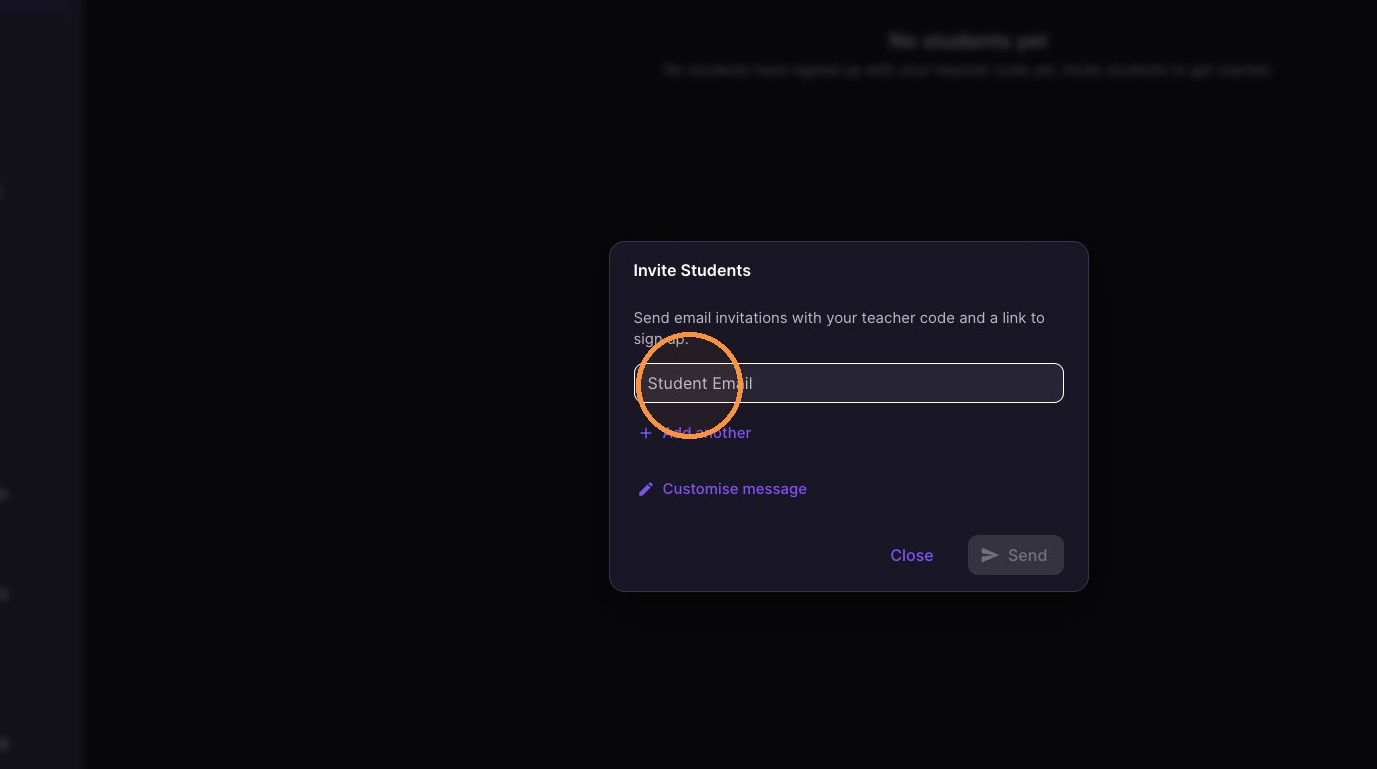
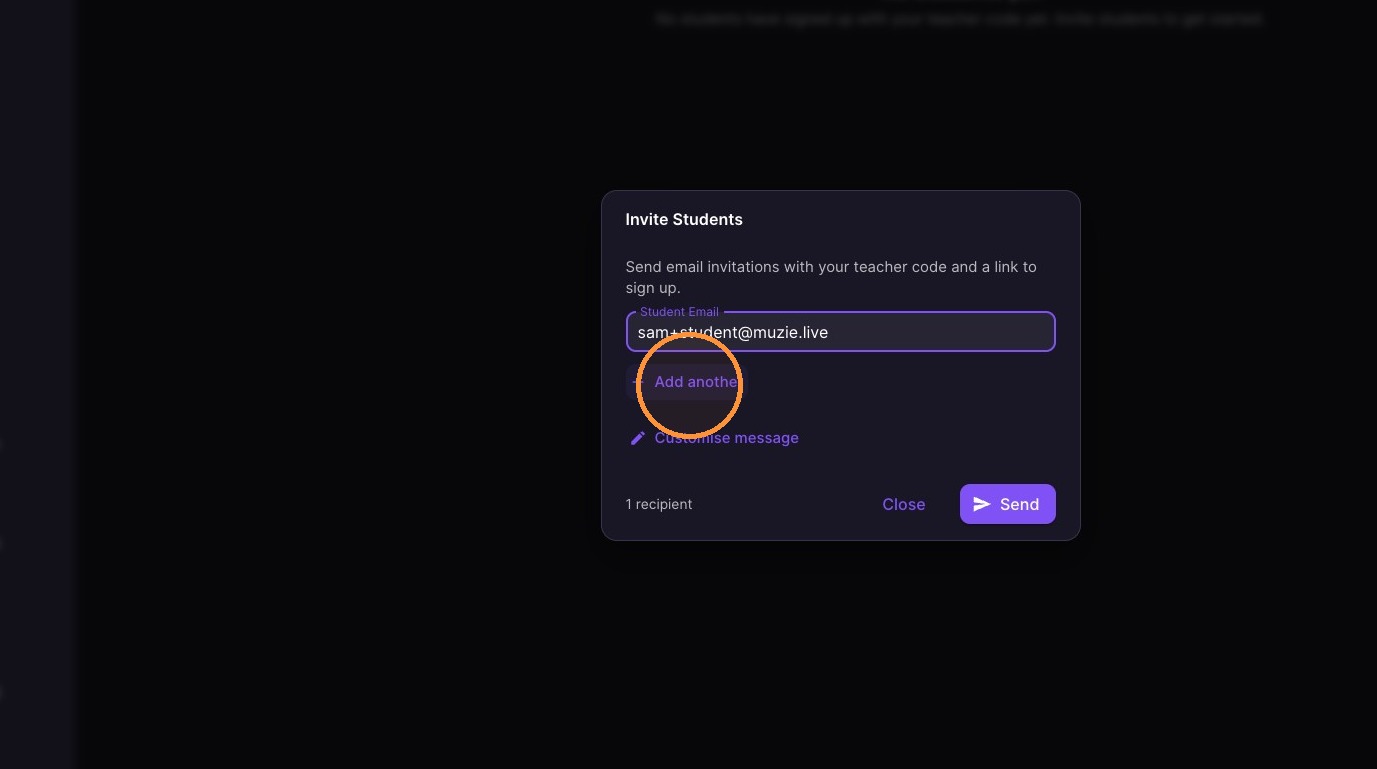
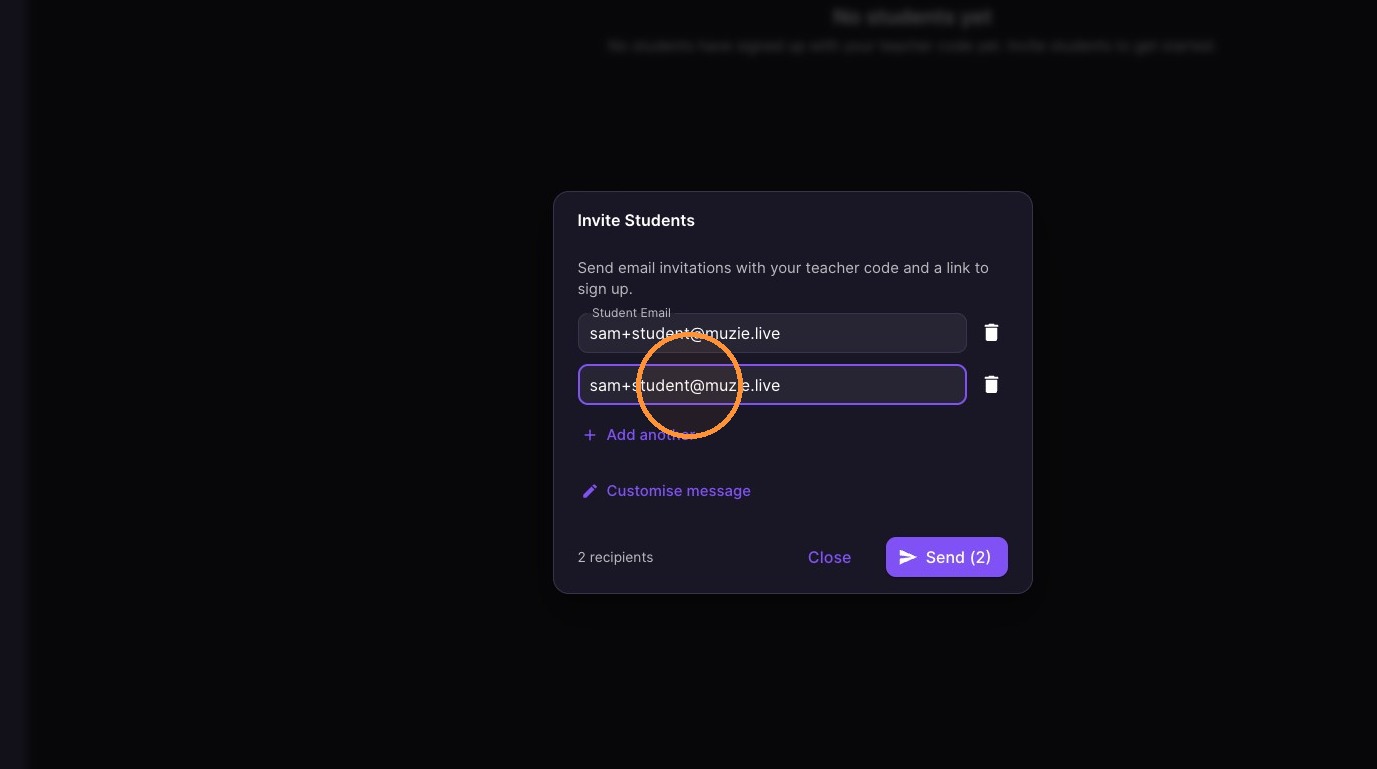
  1. Enter student email addresses

ascreenshot_429ae3324dc64c24bd2026b24e7a0025_text_export.jpeg
ascreenshot_5bbb6b9277964e5ab74b60d2a41579c7_text_export.jpeg
ascreenshot_5fe80b6e444945c693efea7937b675cb_text_export.jpeg
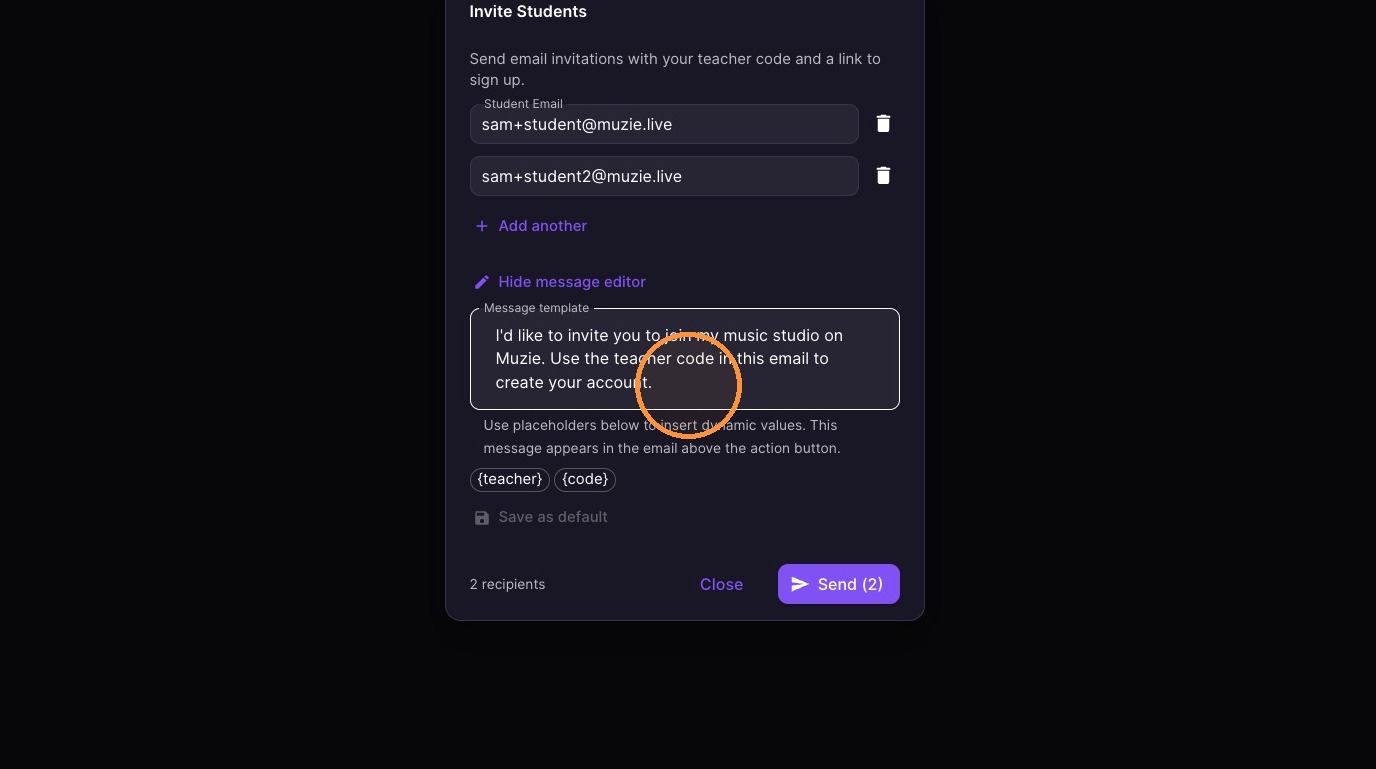
  1. Optional** Customize the invitation message
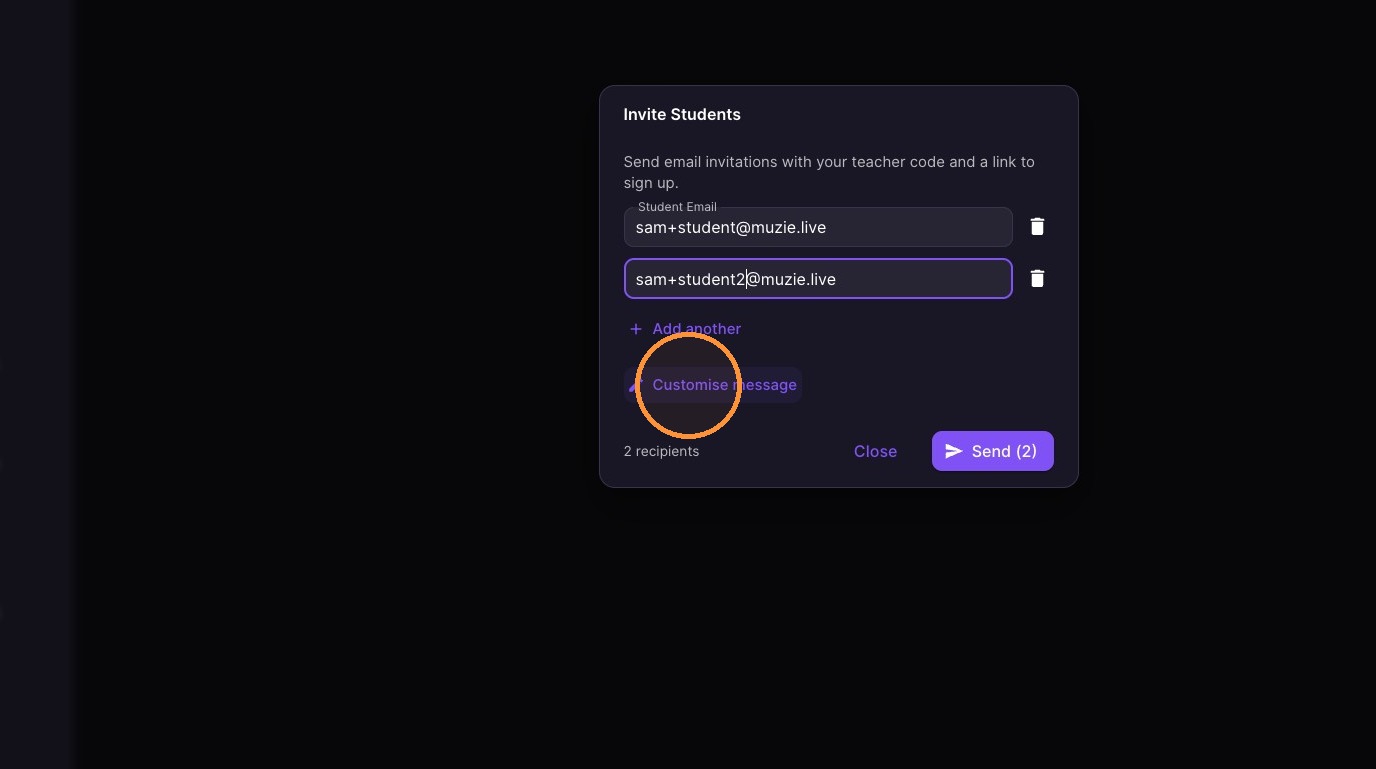
ascreenshot_7ffdc340239647d7bd5c3b6aa48a3115_text_export.jpeg
ascreenshot_03af5ac1ca624520944736197d93fa9d_text_export.jpeg
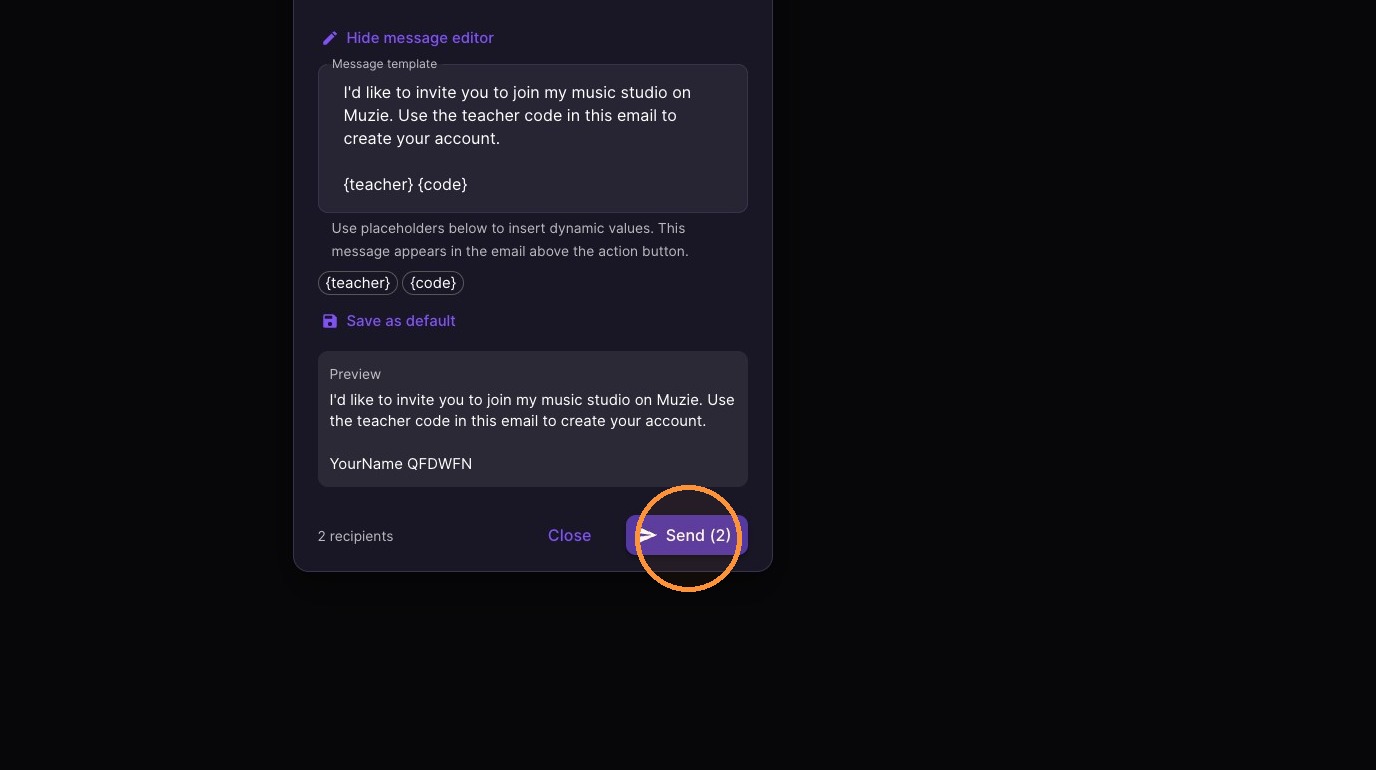
  1. Click "Send"

ascreenshot_3080de52598242d7a02e0bcda1a43313_text_export.jpeg
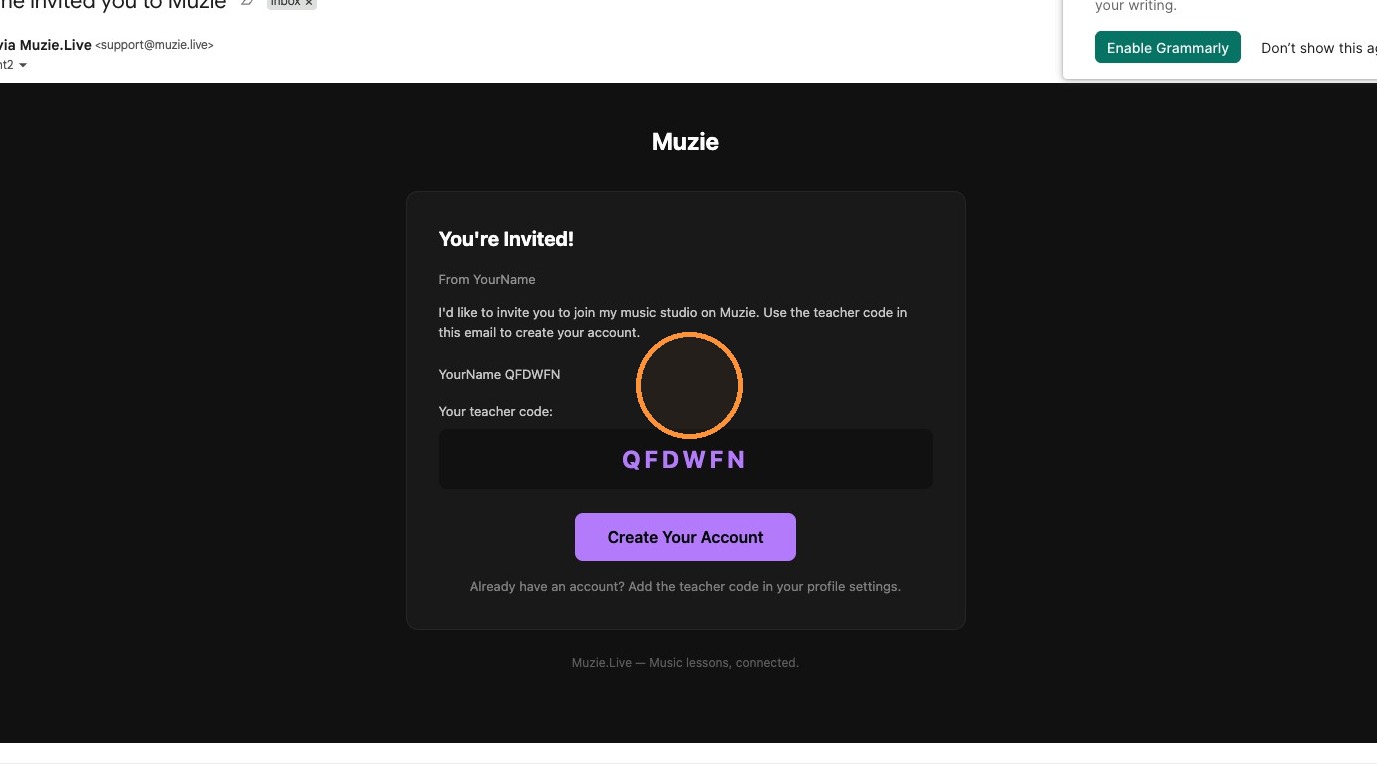
  1. Student will receive an invite email

ascreenshot_7b6a96f2fff7463da3b1c840bc9a0c6e_text_export.jpeg
  1. Once they sign up they will be listed on you student list
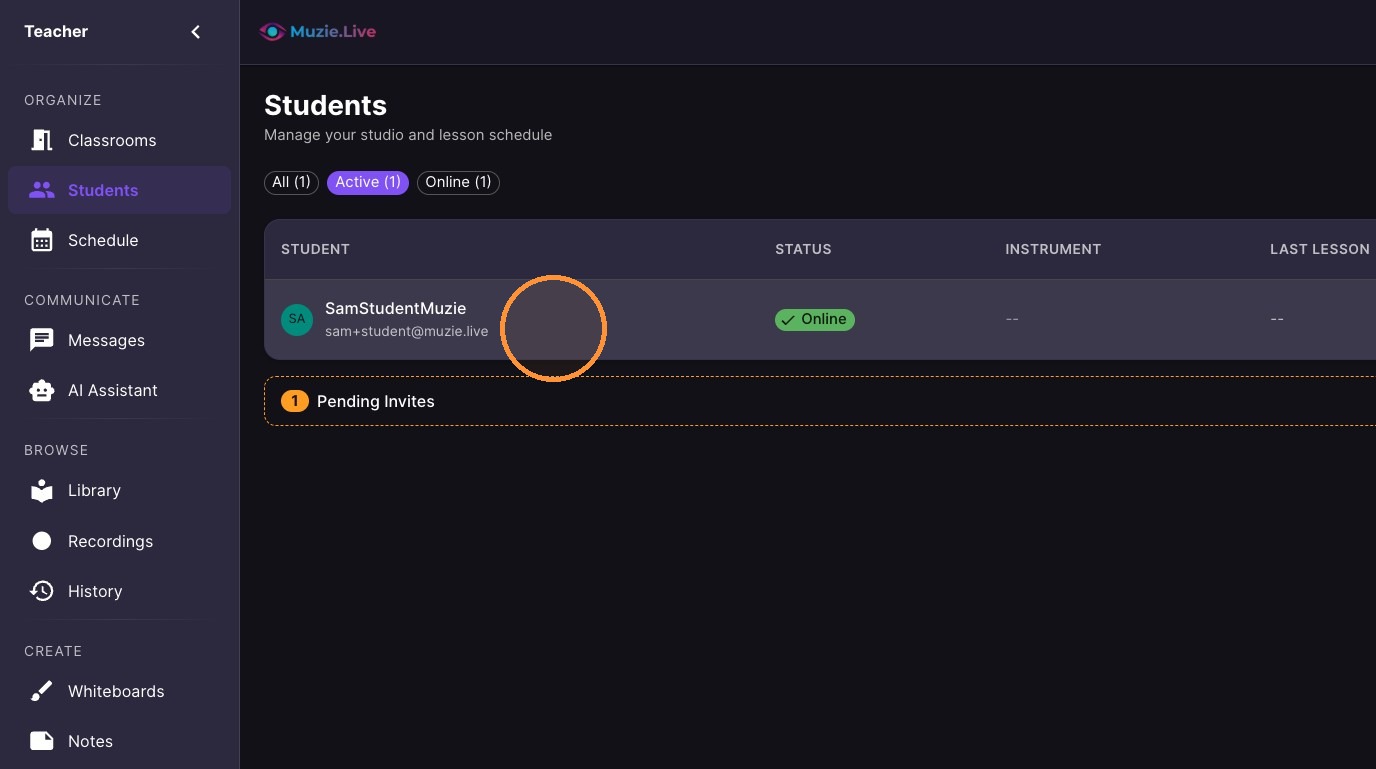
ascreenshot_177c09c354c04c02b97fe9fc06ab12a6_text_export.jpeg