This guide explains how Studio Admins can use the Teachers page to view and manage teacher accounts in their studio. Use it to understand each teacher’s status, open a teacher profile, update details, create teacher codes, add contact information, send messages, and enable or disable access when needed.
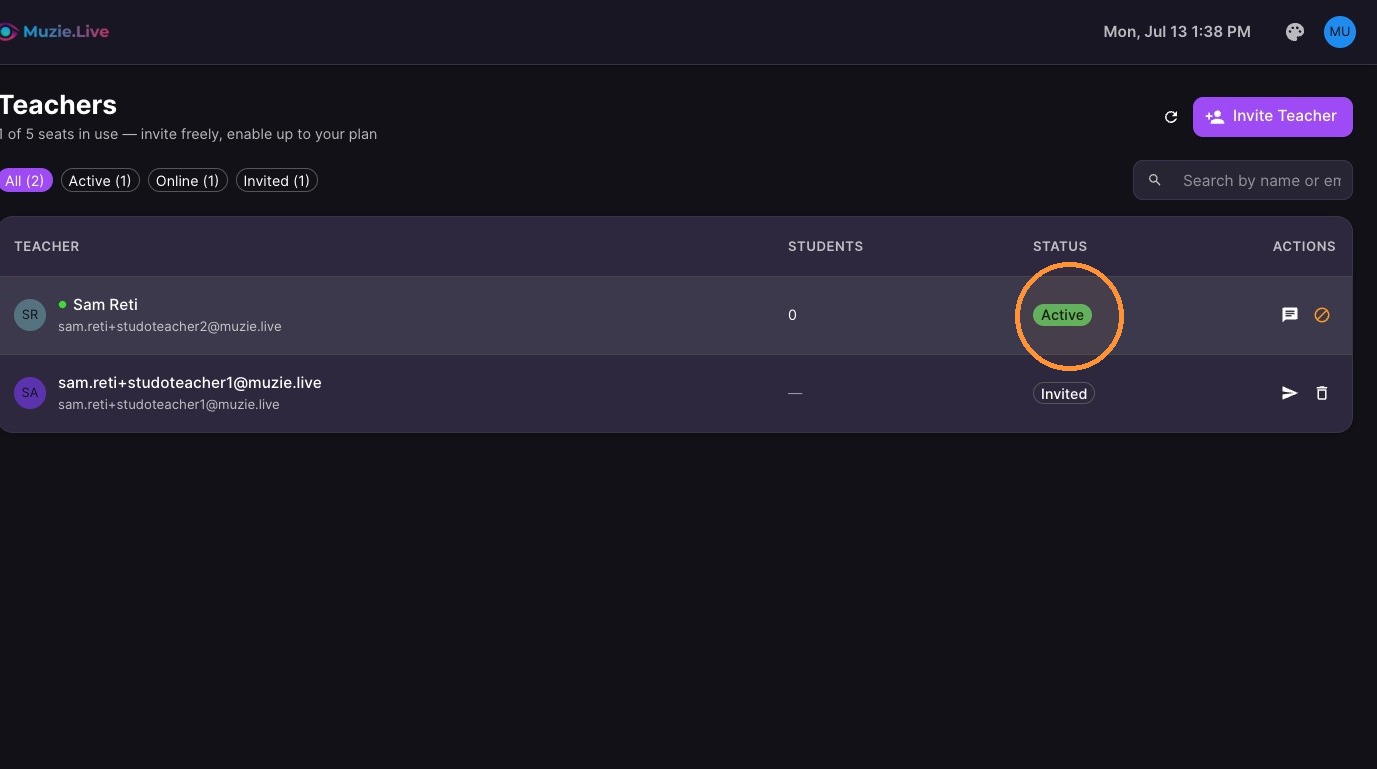
Before you start, know the teacher status labels: Active teachers can access their account, Inactive teachers have been disabled, and Invited teachers have not signed up yet.
-
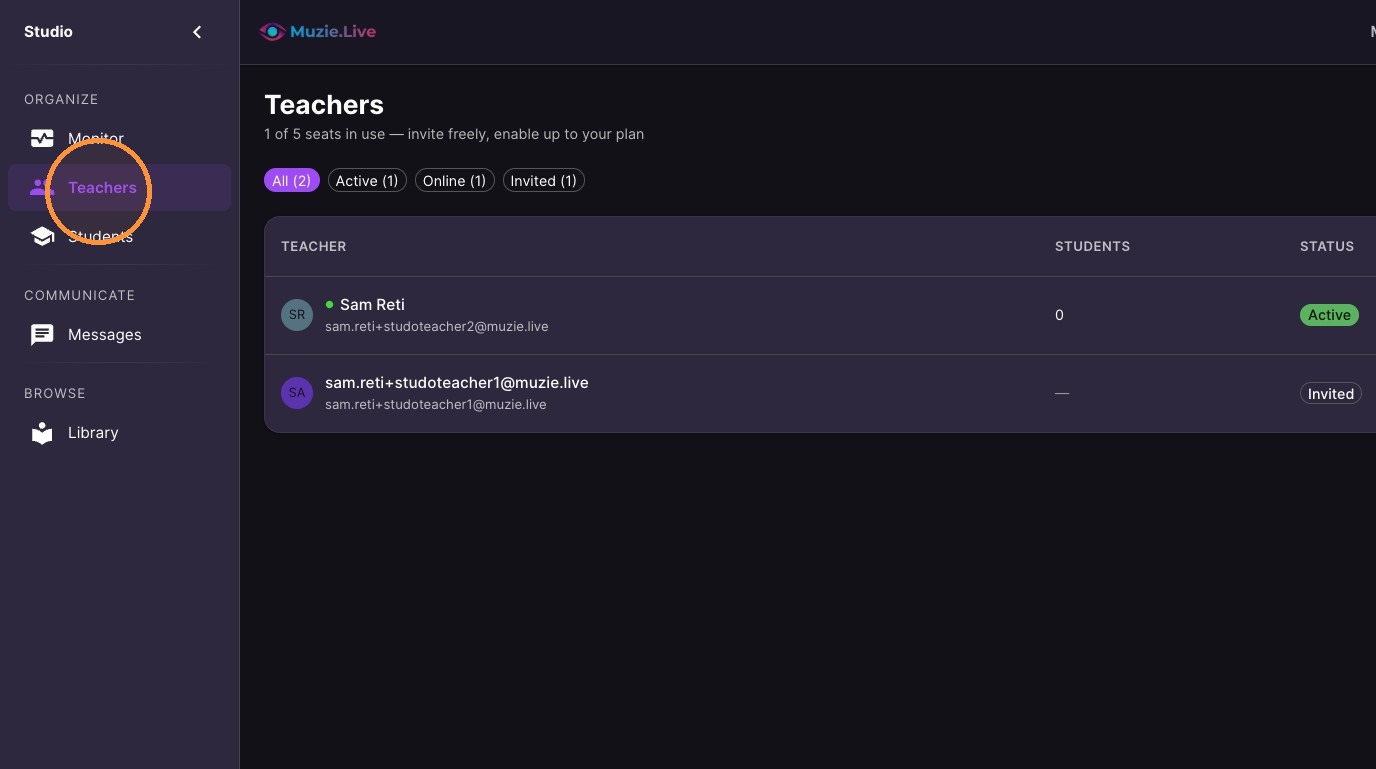
Click "Teachers"
-
You can quickly see which teachers are Active, Inactive or Not signed up yet (invited)
-
Click any teacher in your teacher list to open their profile
-
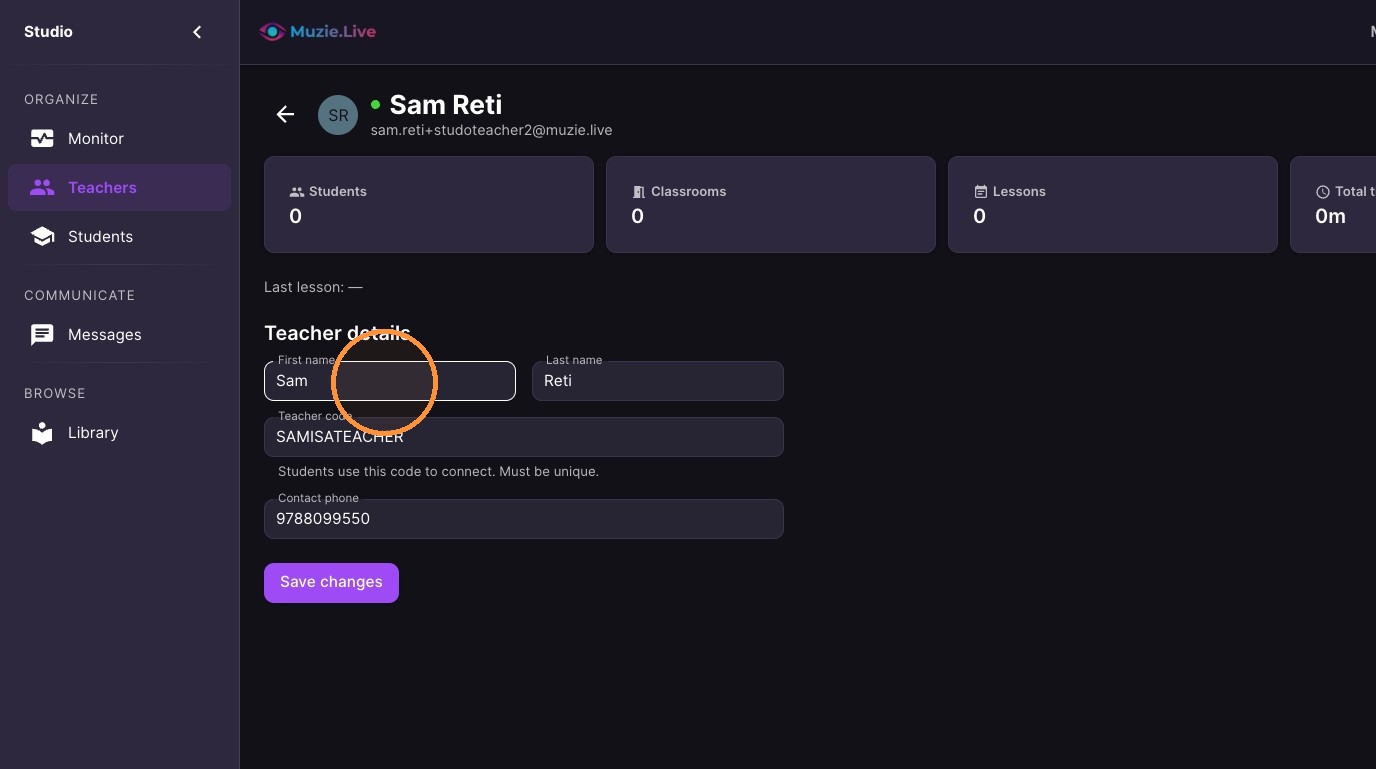
Update their profile
-
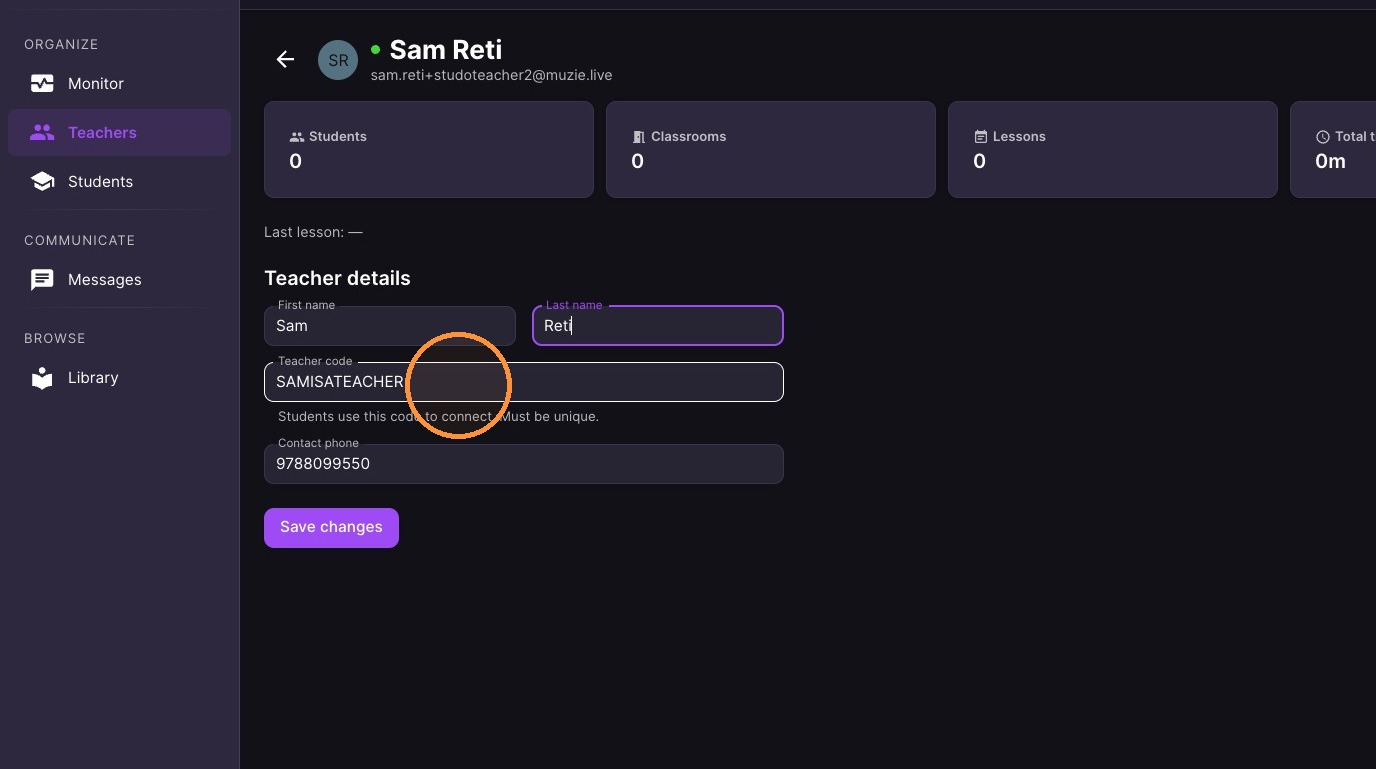
Create a teacher code for them
-
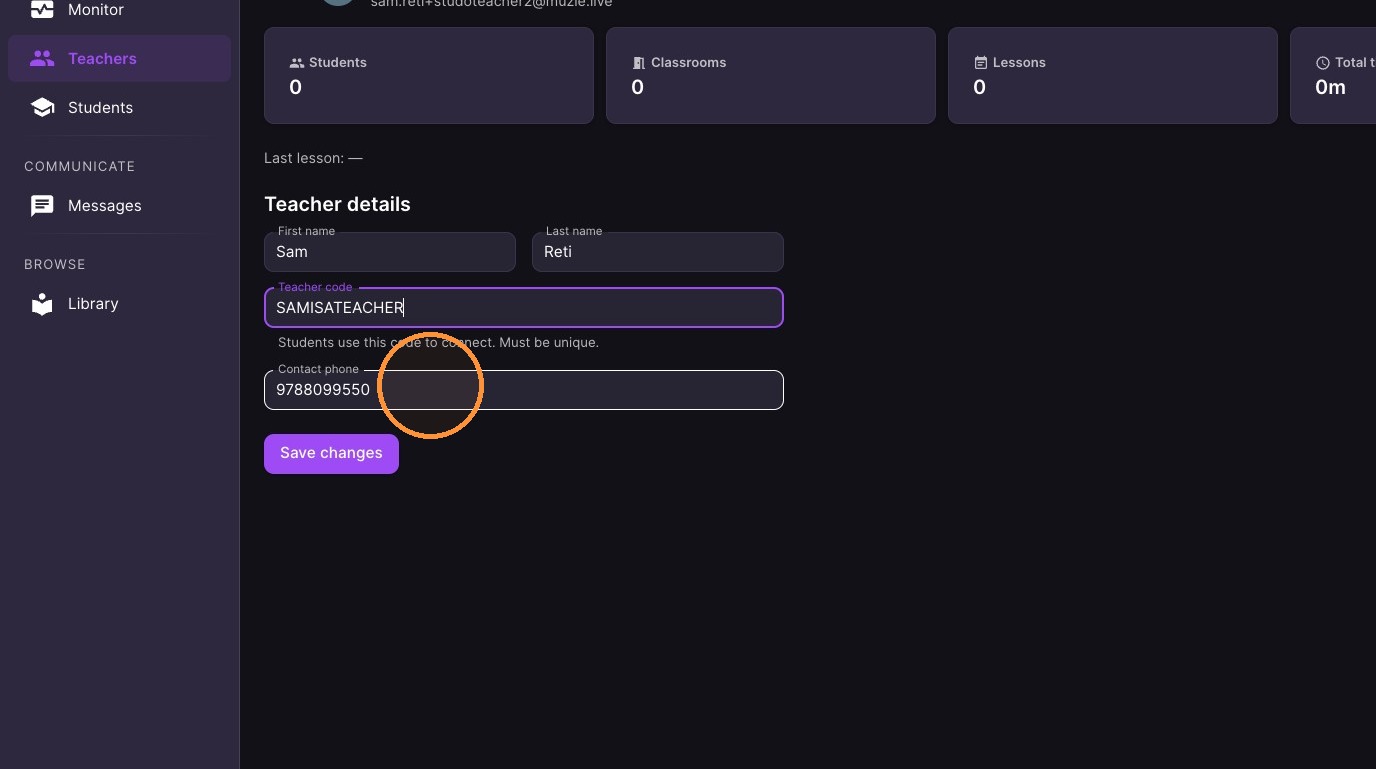
Optional** Add a contact phone number
-
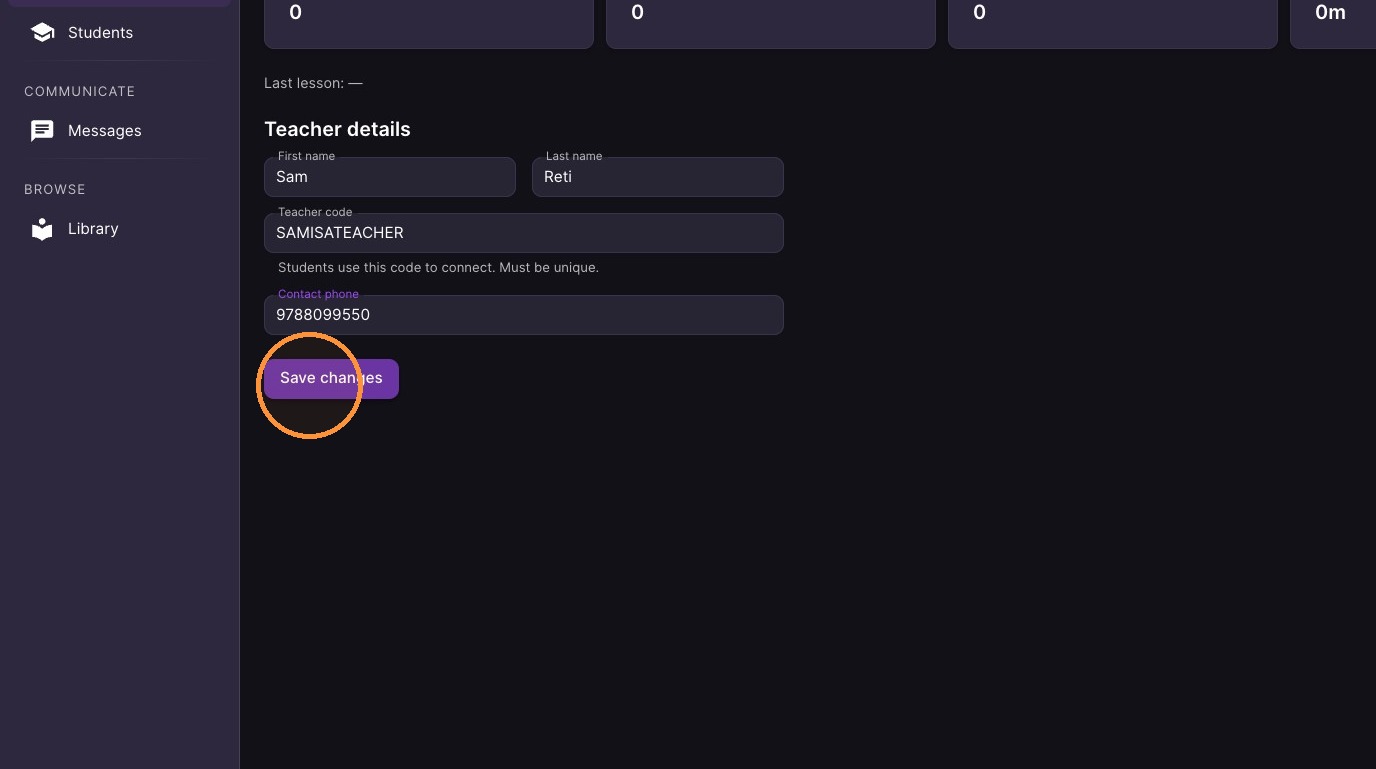
Click 'Save changes' to confirm teacher details.
-
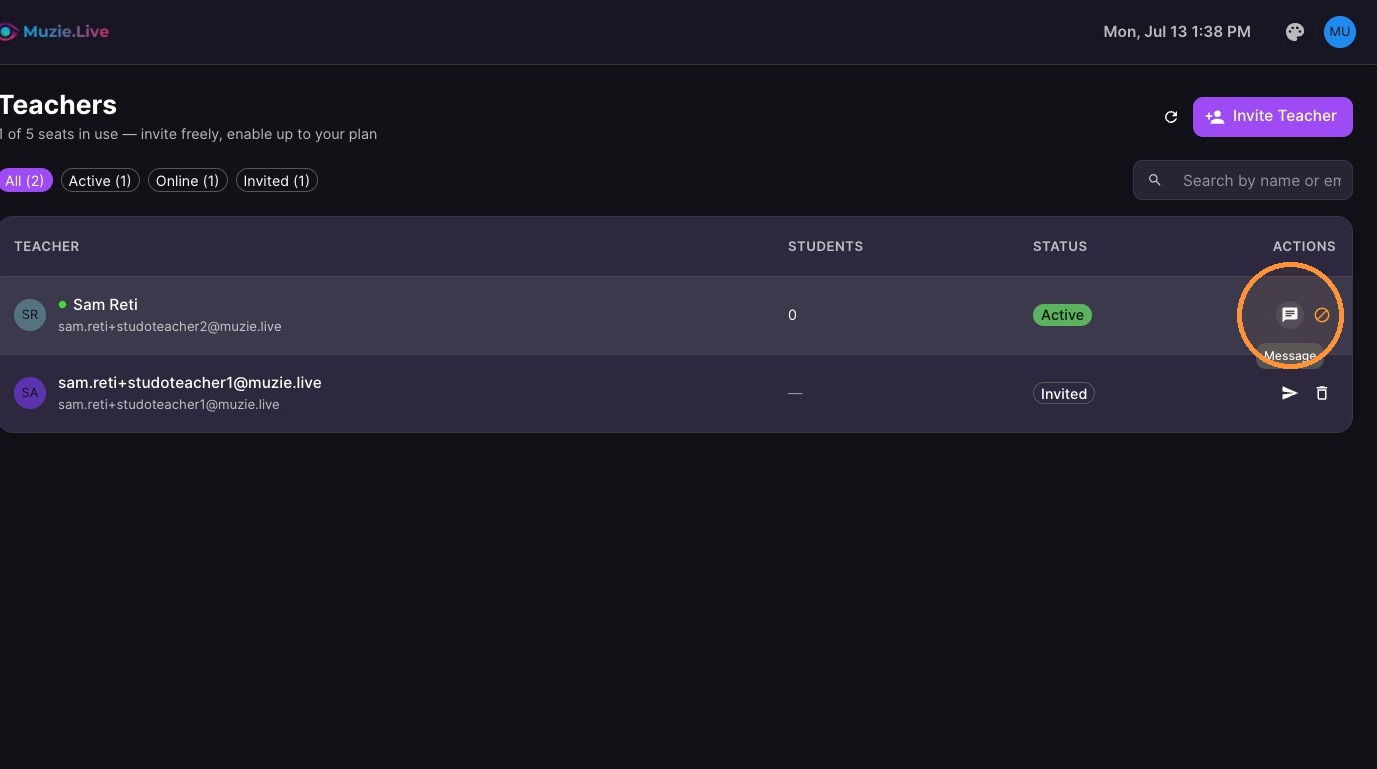
Too send a message - click the message icon
-
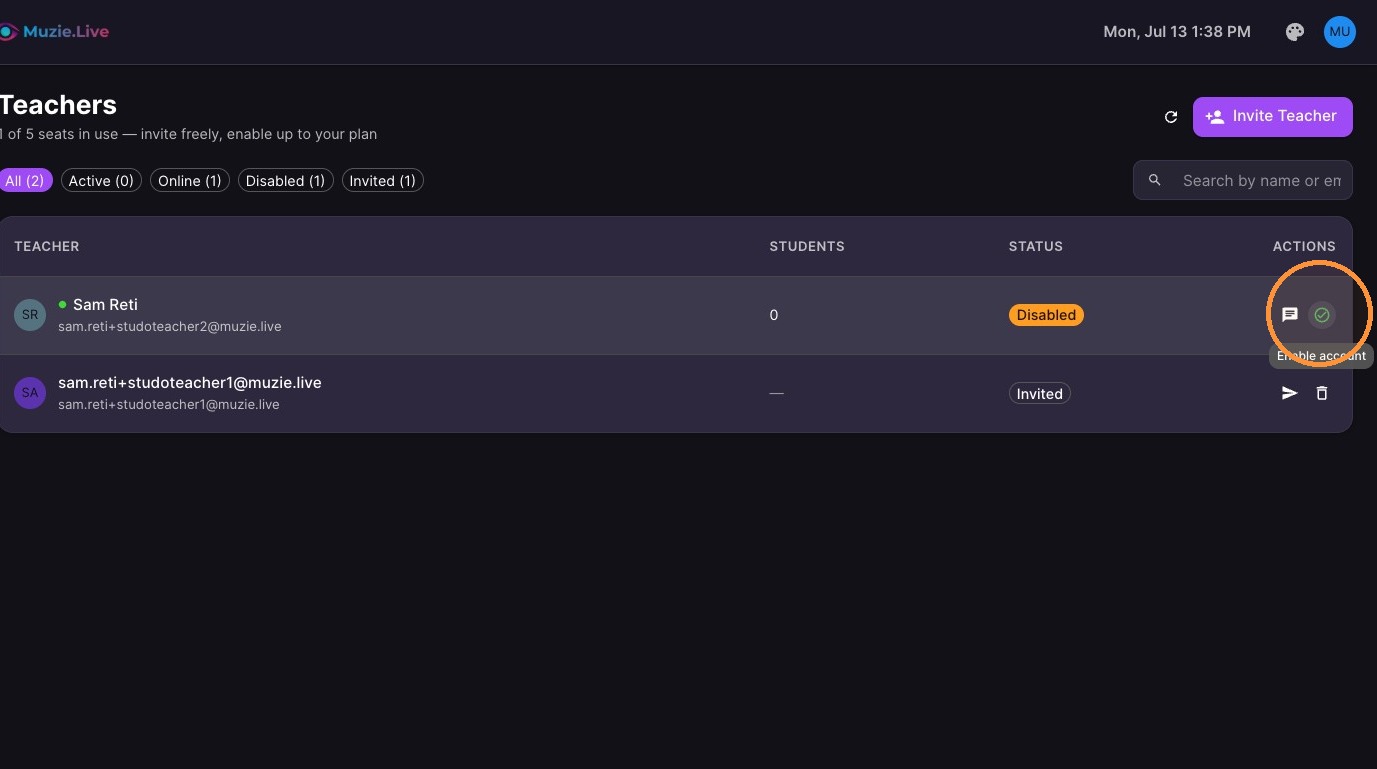
To disable a teacher account
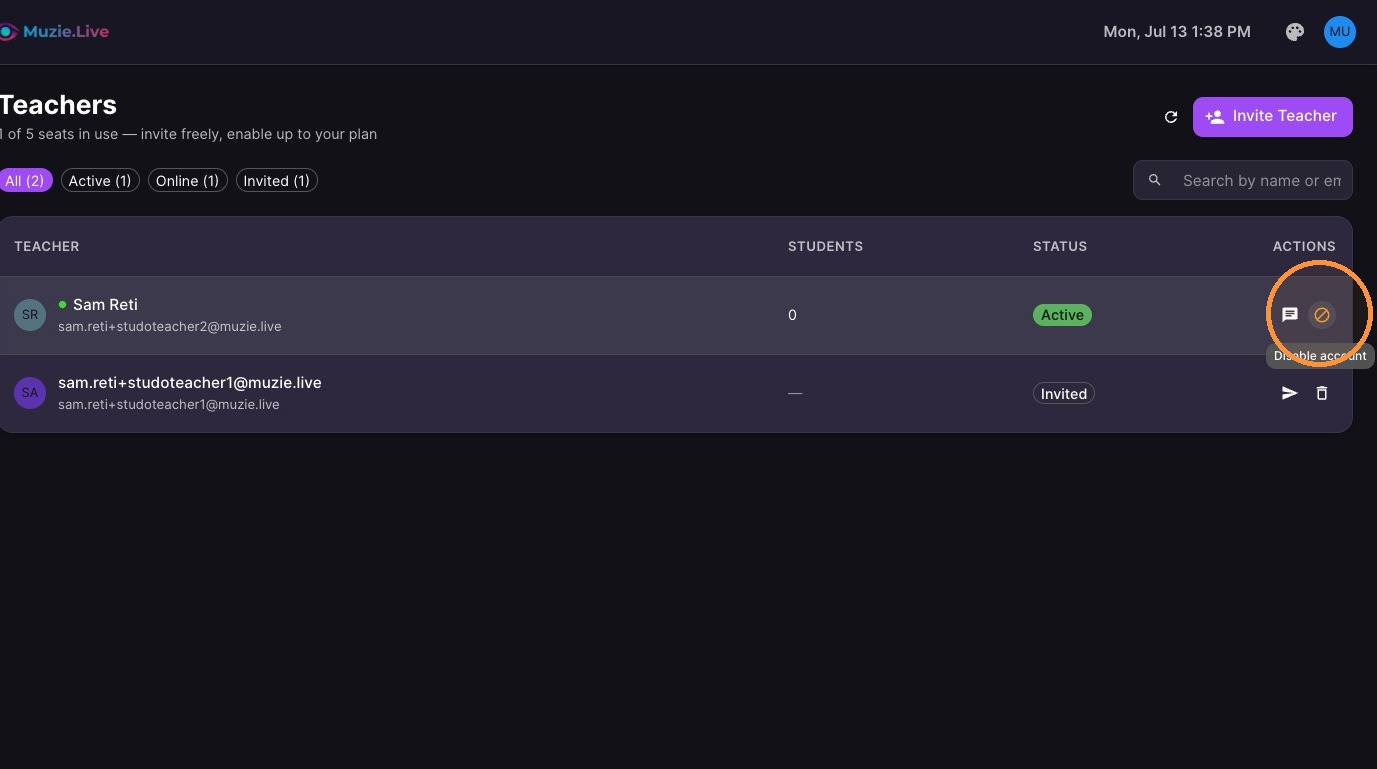
10. To enable a teacher account