

Use this guide to help you quickly find past lesson recordings and review what happened in each session. You’ll learn where to open a recording, how to switch between the different recording views.
Each recorded lesson includes a few files to choose from:
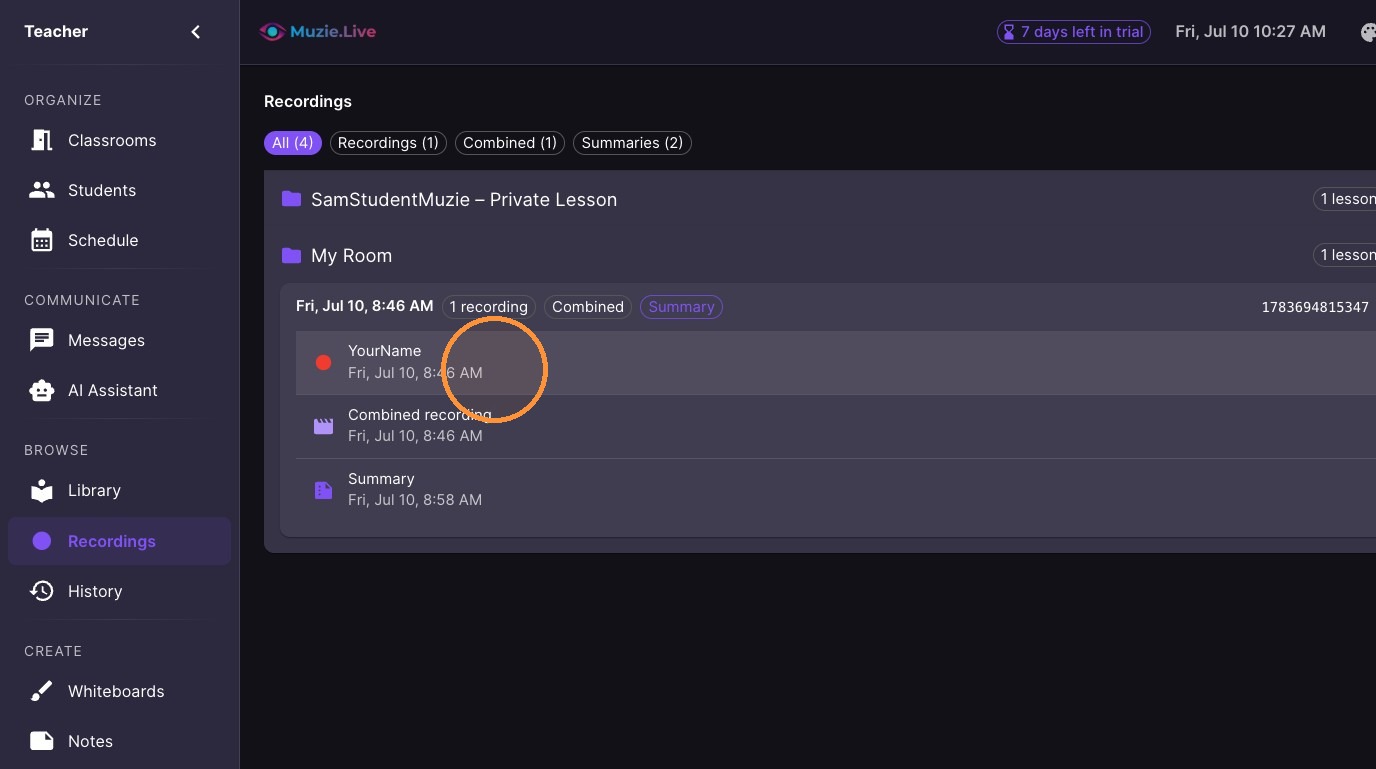
1. Individual recordings — Separate videos for each participant, helpful when you want to focus on one student.
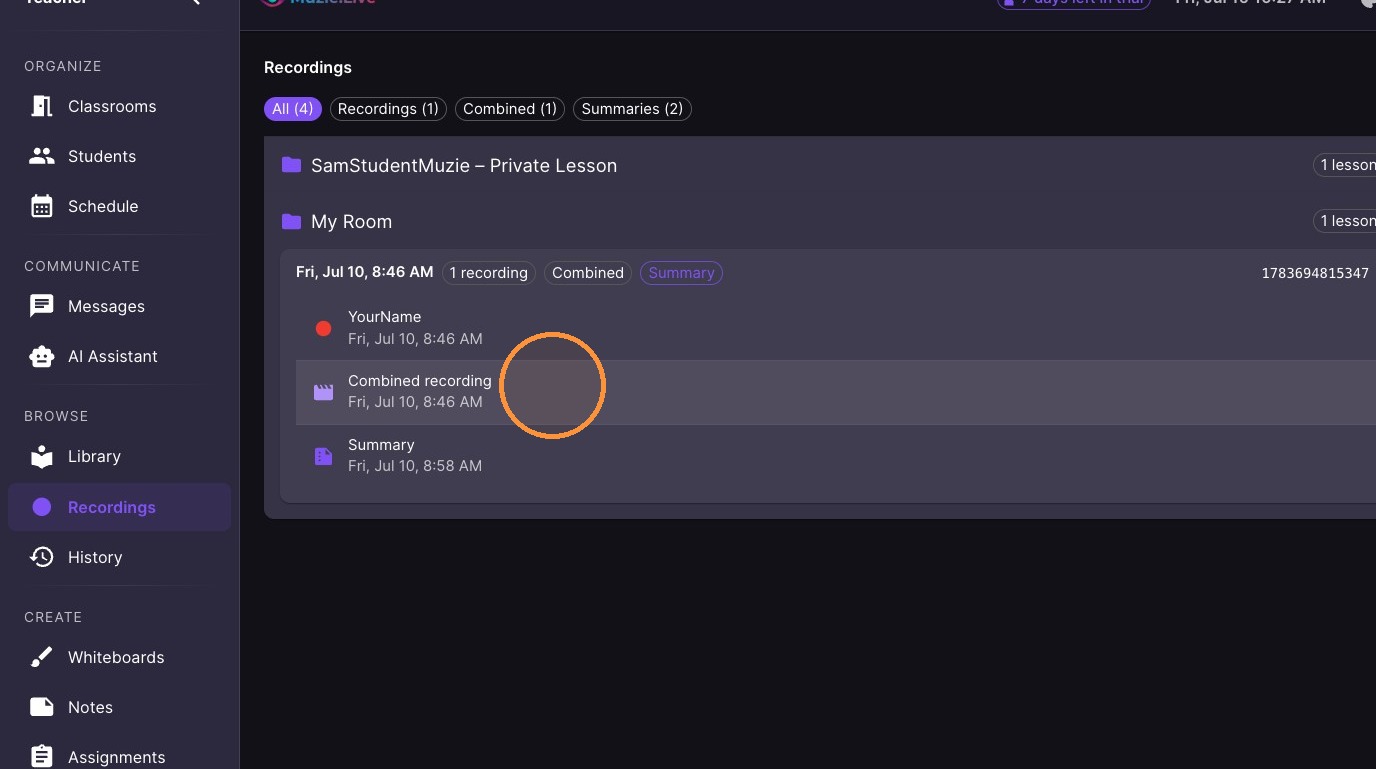
2. Combined recording — One merged video that includes everyone in the session.
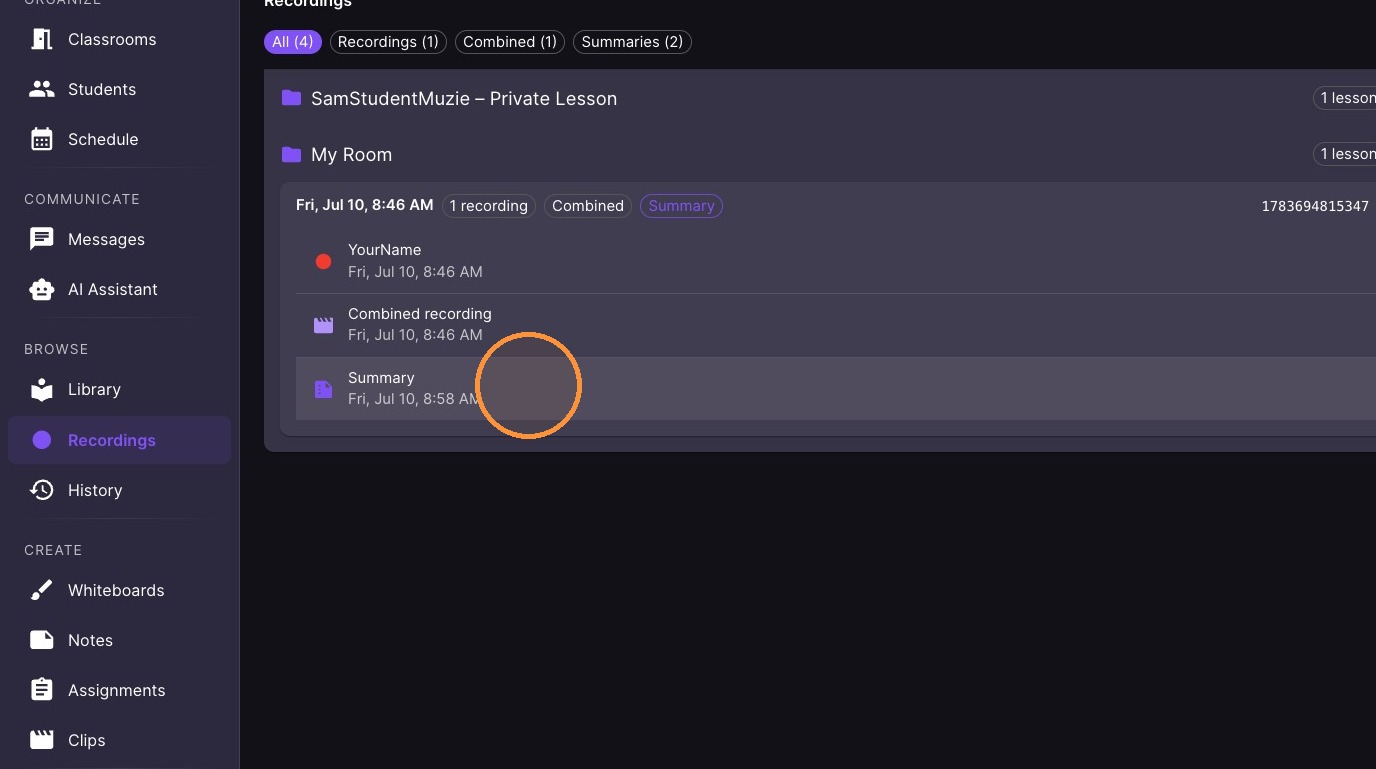
3. Summary — A written recap of the lesson session.
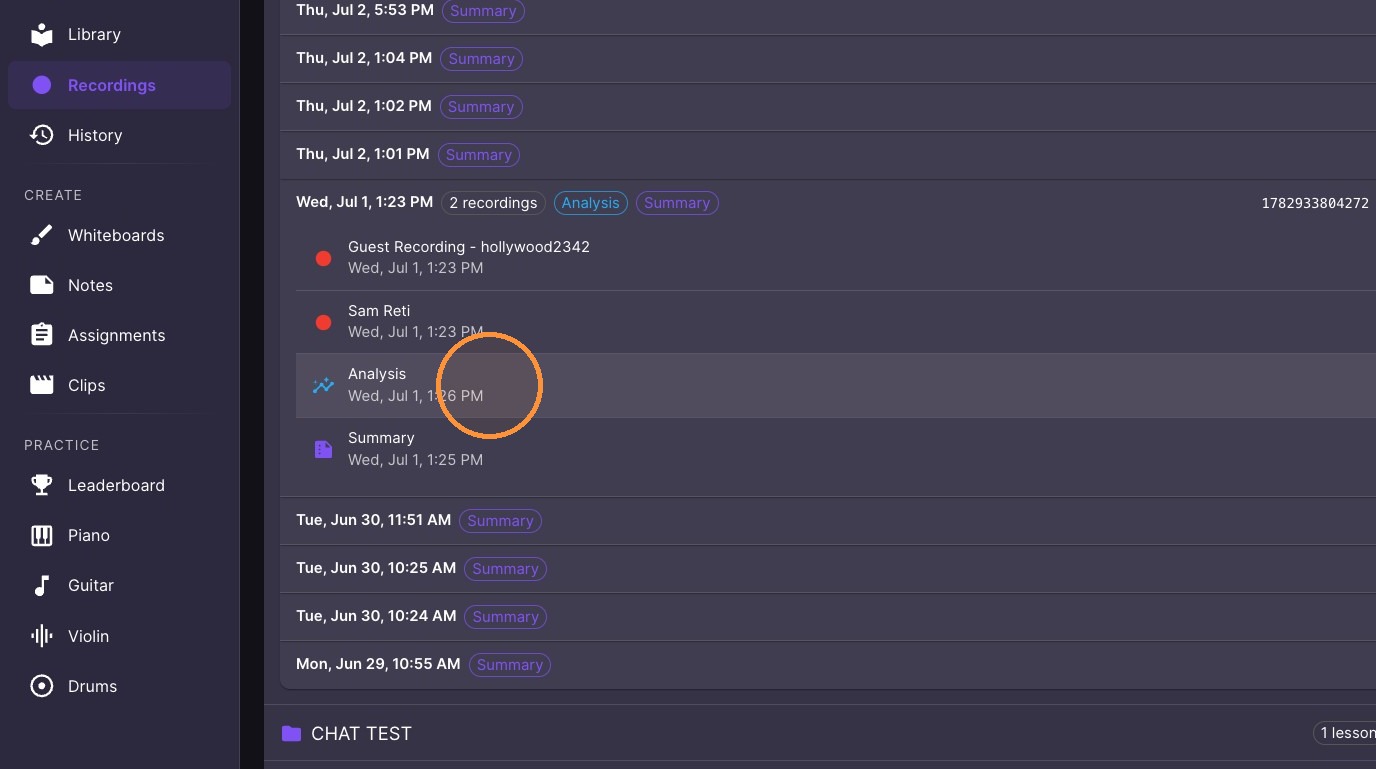
4. Analysis — AI-generated insights with recording details (only available when AI Summary is turned on).
-
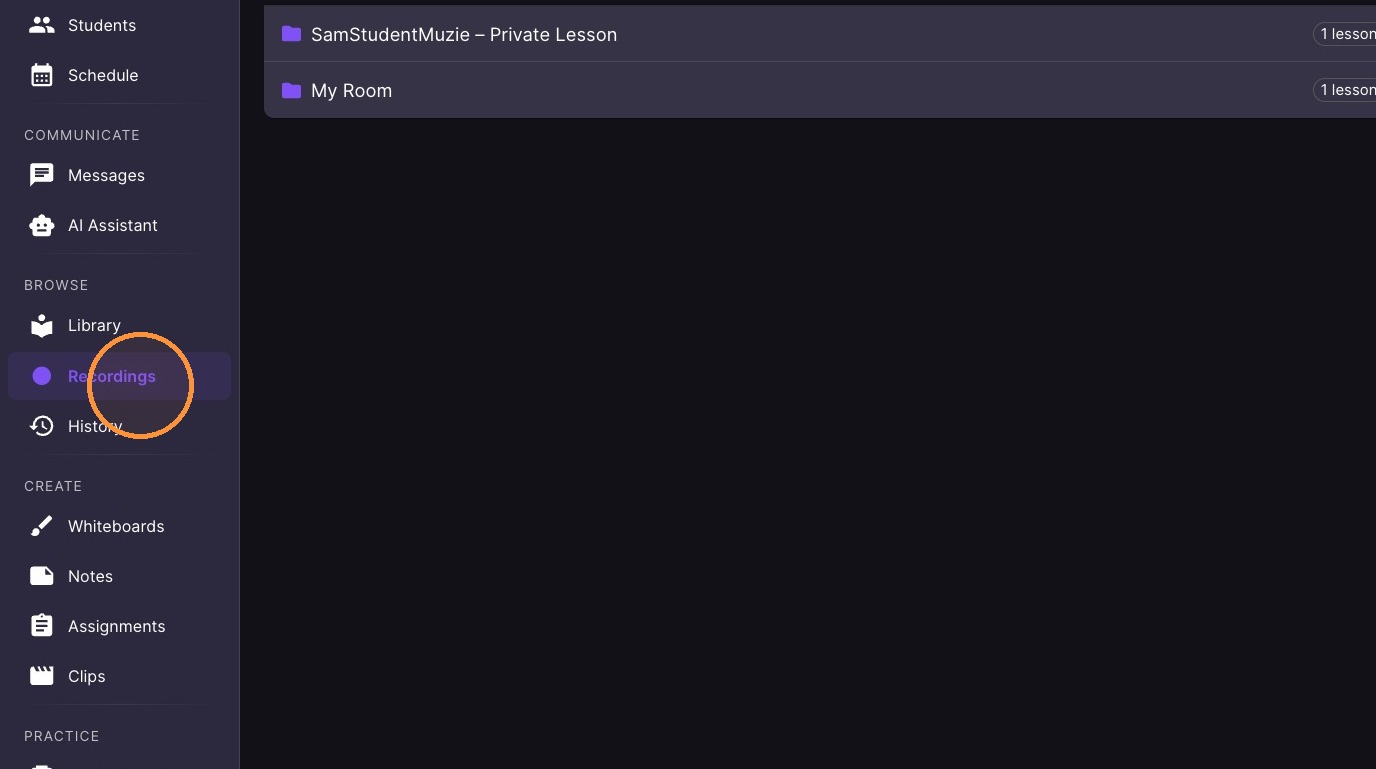
Navigate to 'Recordings' in the sidebar.
-
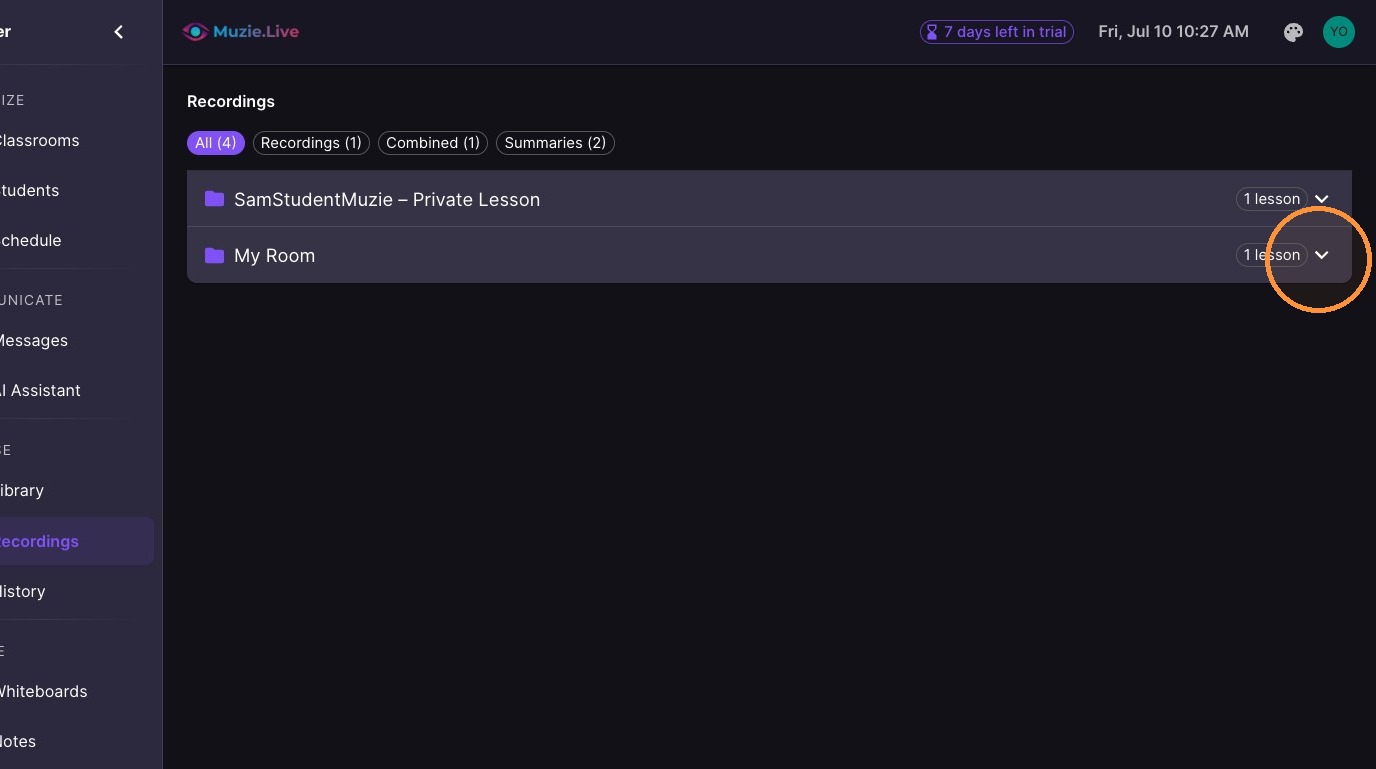
Expand the 'Room' folder to view recorded lessons.
-
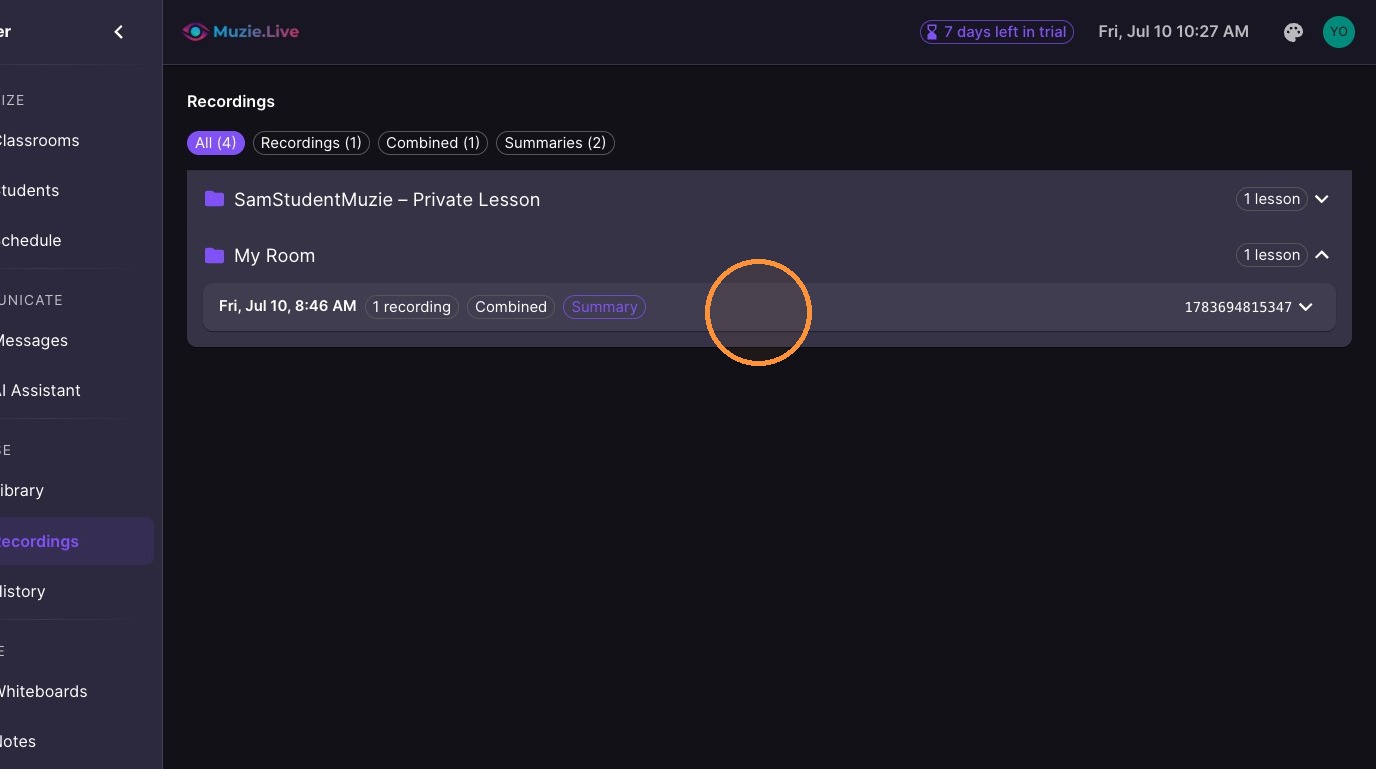
Select a lesson date to view session details.
-
Click The Recording to see the individual recordings
-
Select 'Combined recording' to view the merged session video.
-
Select 'Summary' to open the session report.
-
Select 'Analysis' to view AI-generated insights for a session.
In-person lessons: recordings and AI summaries work for in-person lessons too. Start the recording as usual — the camera can stay off, since the summary is built from the audio transcript. Students find the summary in their recordings tab.
Recordings capture the video feeds only — the MIDI piano and the other in-lesson tools are not part of the recording.