

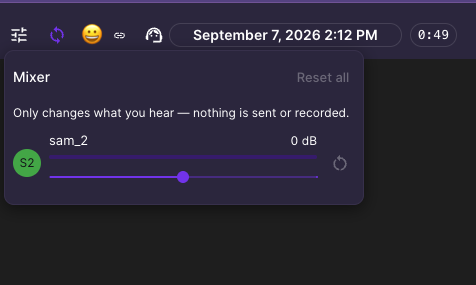
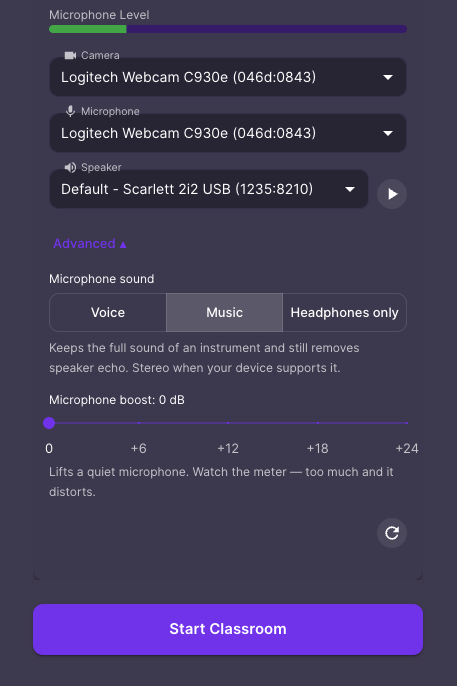
Muzie has two separate volume controls, and which one to reach for depends on whose sound is wrong: the Audio Mixer changes how loud other people are for you, and the audio input setting changes how loud you are for everyone else.
The Audio Mixer — when somebody else is too quiet or too loud. In a lesson, click the mixer icon in the top toolbar. Each participant has their own control, so you can bring one student up without changing anybody else. This only affects what you hear: it does not change what the other people in the lesson hear, and it does not change anyone’s own settings.
Your own input level — when you are the one who sounds quiet. Open your audio and video settings, click Advanced options, and increase the audio input. This is inside Muzie, so you do not need to go into your computer’s sound settings for it.
If somebody still sounds quiet after both of those, see Audio Is Too Quiet.