

This guide is for students with a Muzie account who are connected to their teacher. If your teacher sends you a lesson link instead, you do not use the Lessons tab — see Using Meeting Links To Join A Lesson (Students).
Joining an online Muzie lesson is quick and simple. From your Lessons page, click Join Lesson, choose your camera, microphone, and speakers, then click Enter Classroom. This guide walks you through each step and explains what to do if your devices do not appear.
Lesson Access
-
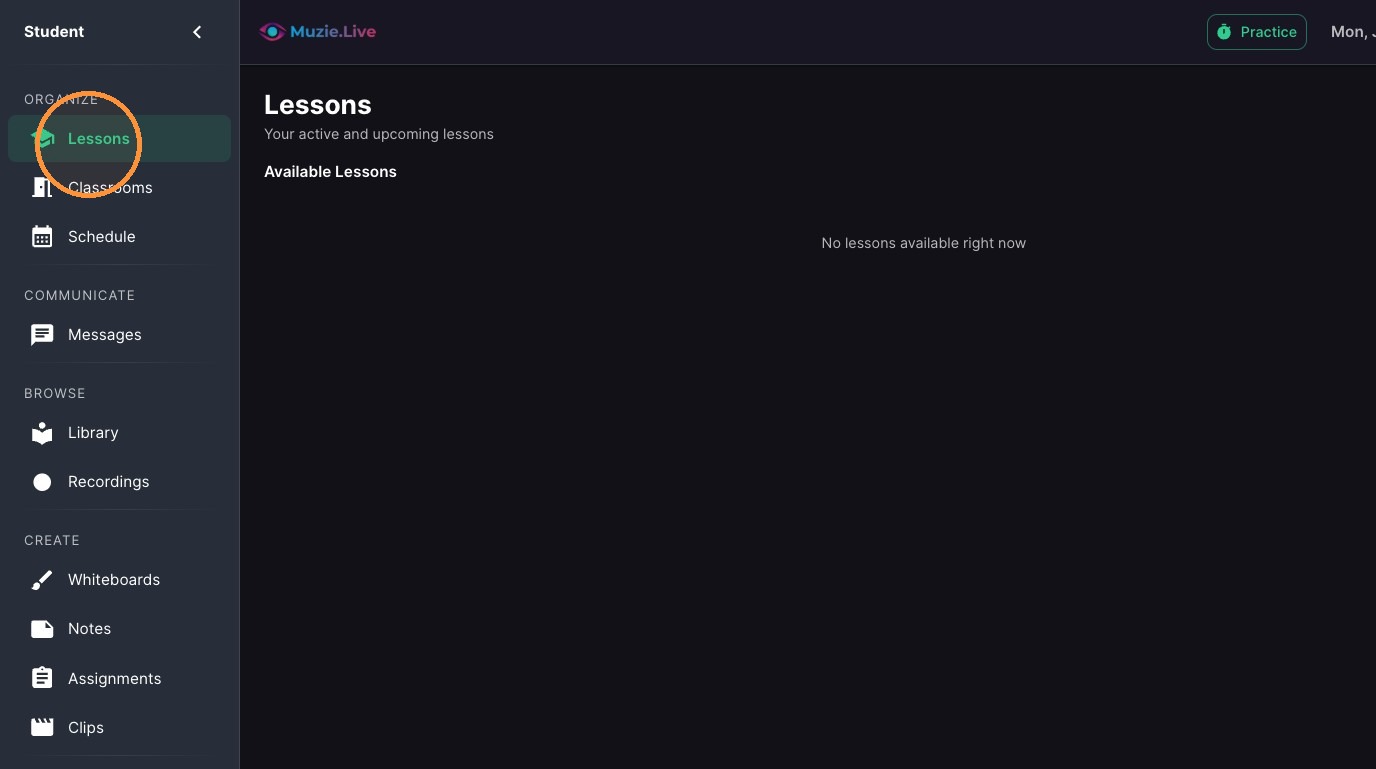
Click "Lessons" in the left sidebar
-
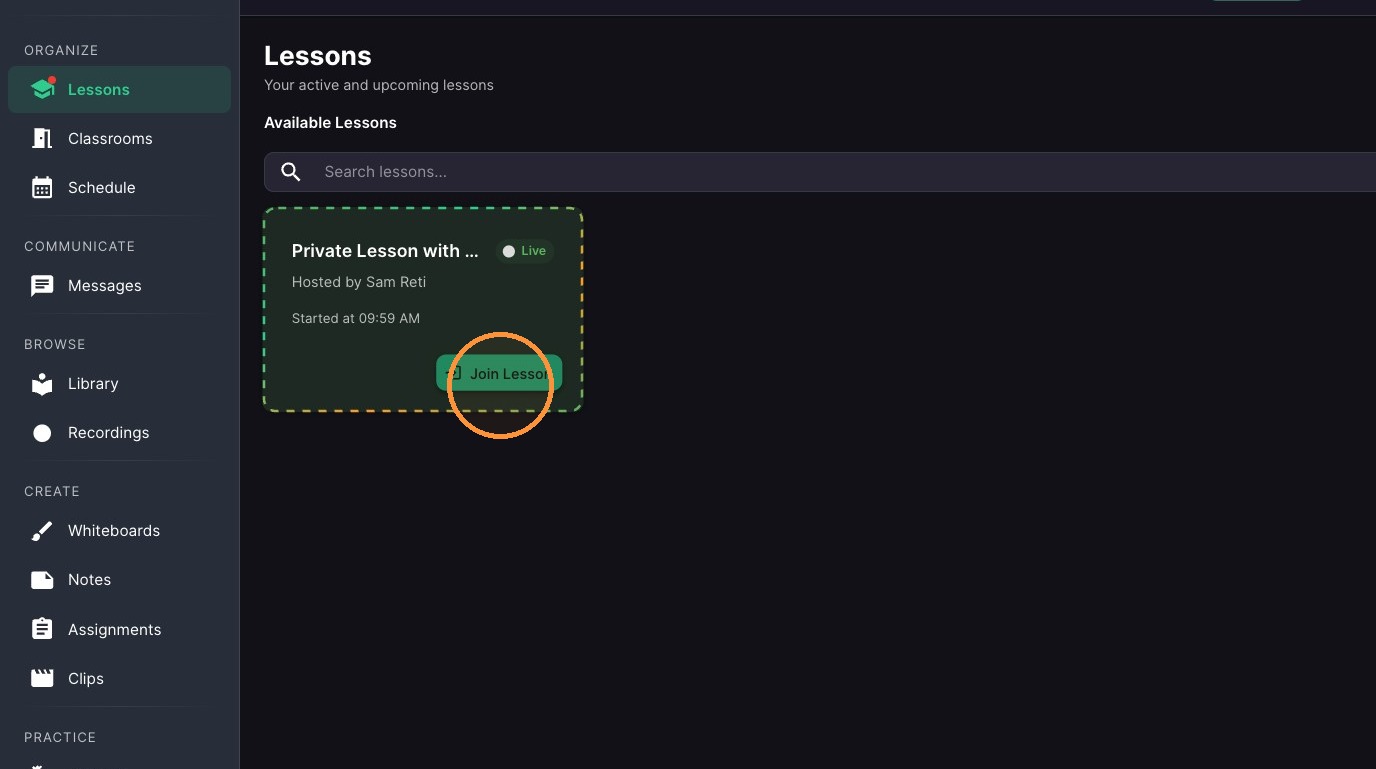
Click the green "Join Lesson" button on your lesson's card in the middle of the Lessons page
Device Configuration
-
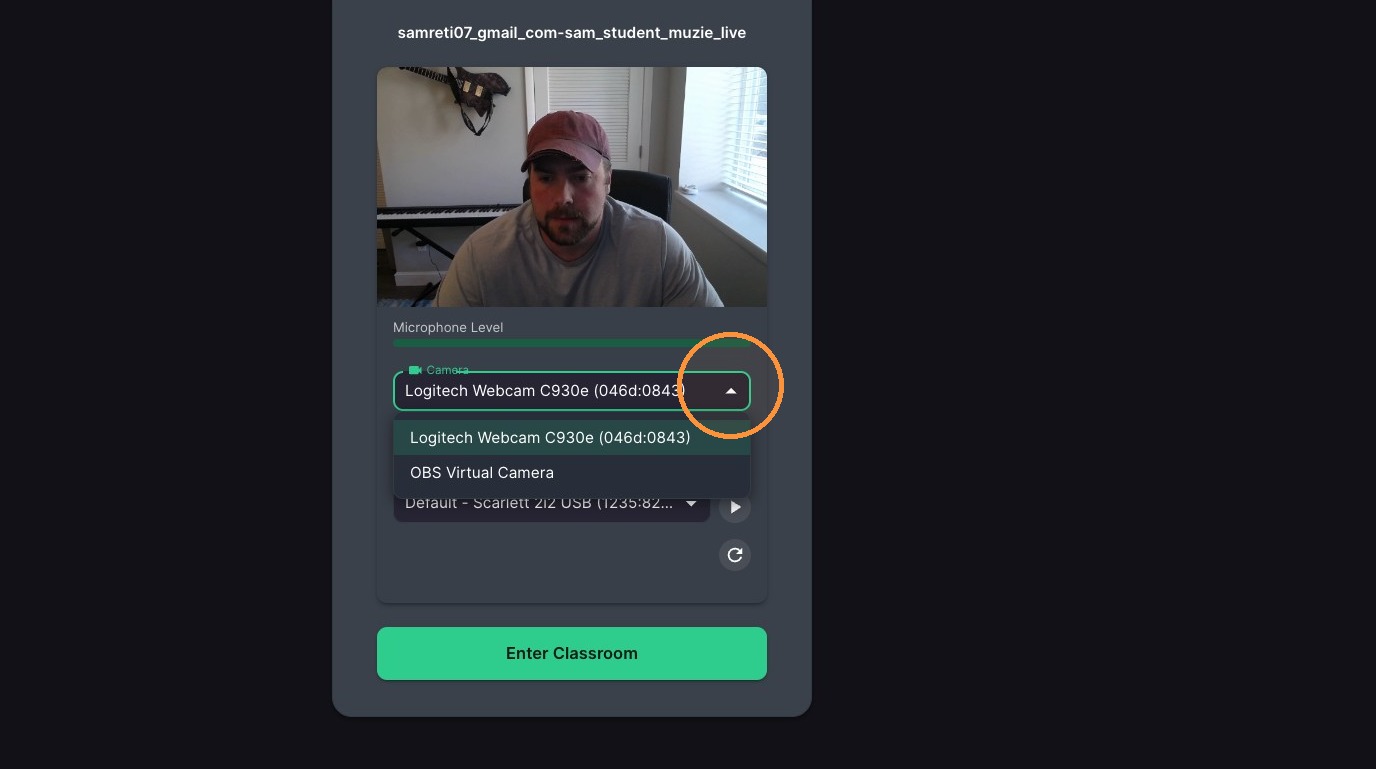
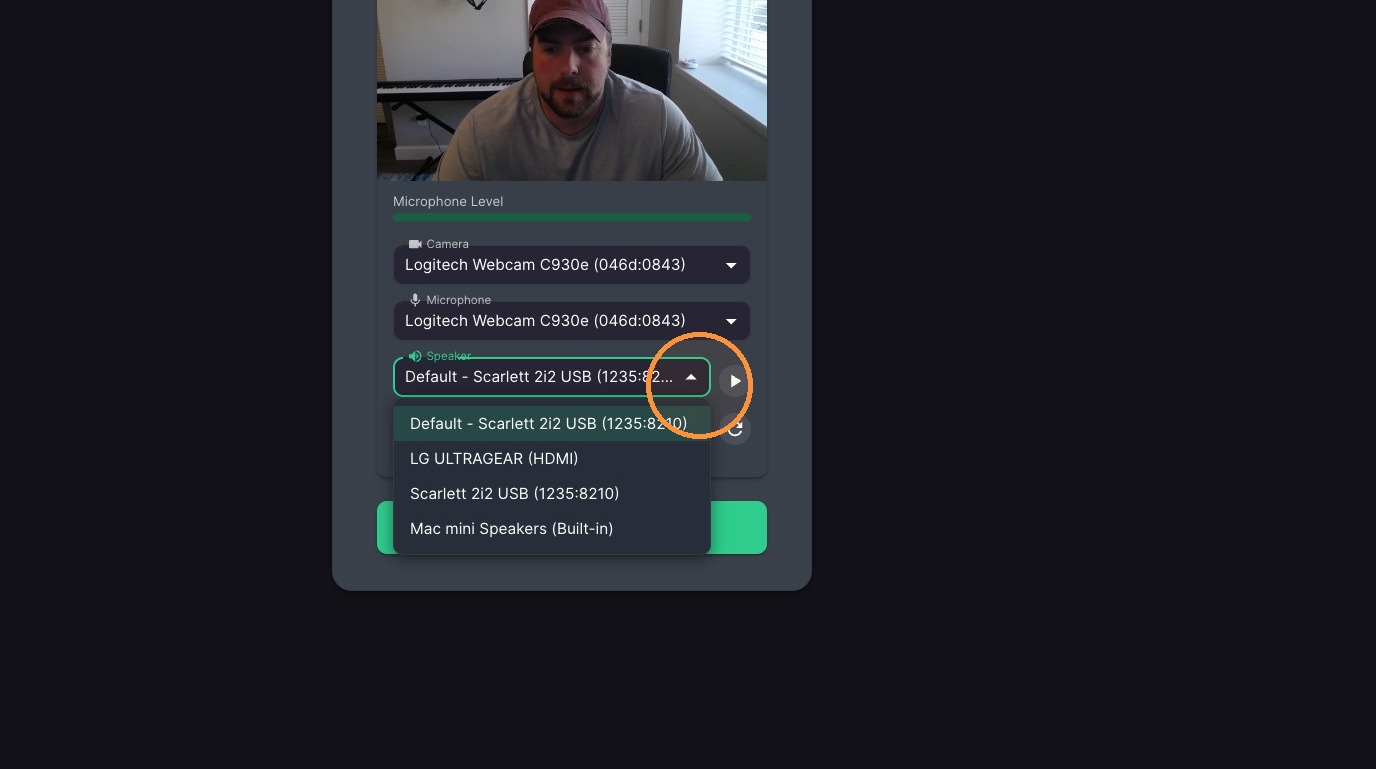
Select your camera from the first dropdown in the device window that opens — your camera preview shows at the top
-
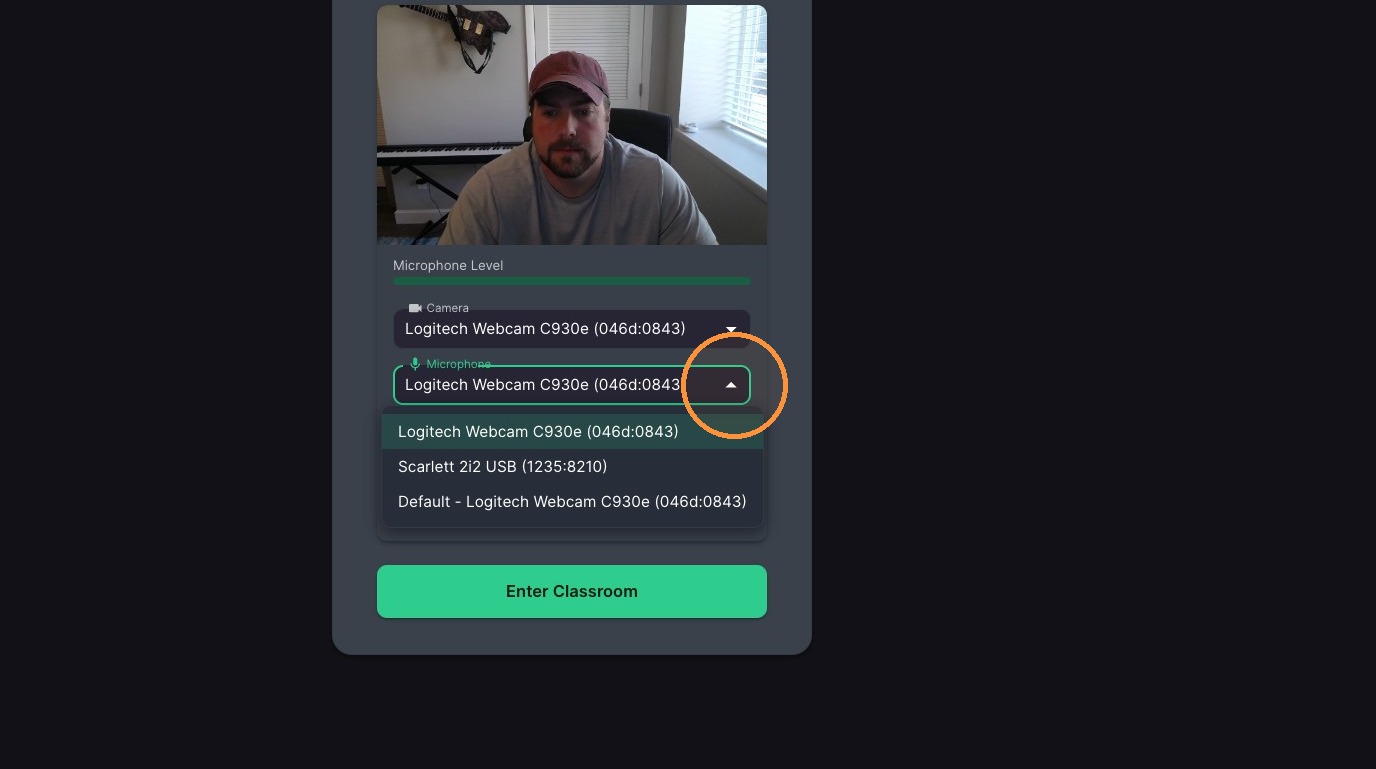
Select your microphone from the second dropdown, under the camera
-
Select your speakers from the third dropdown
-
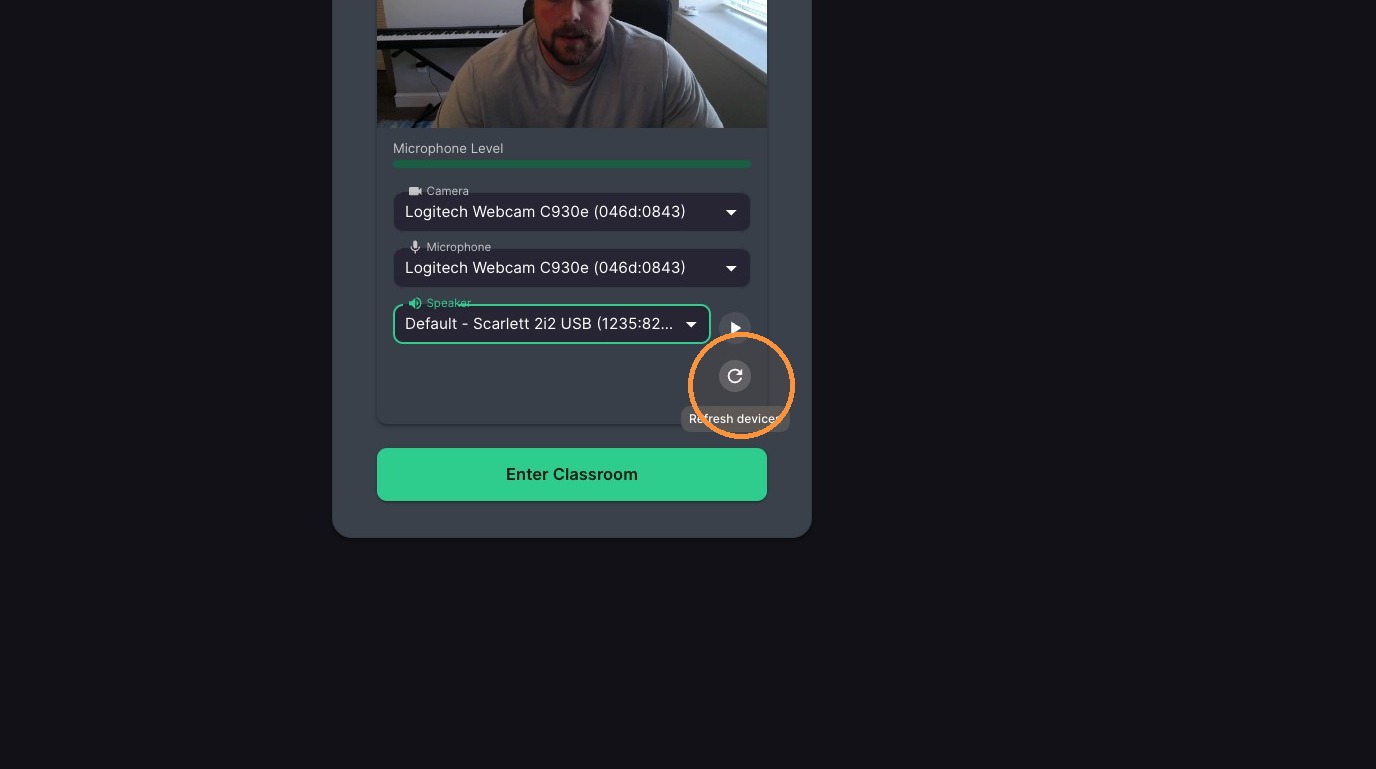
**If you do not see any options - click the small refresh icon to the right of the device list and make sure to allow access to the camera & microphone in your browser settings.
-
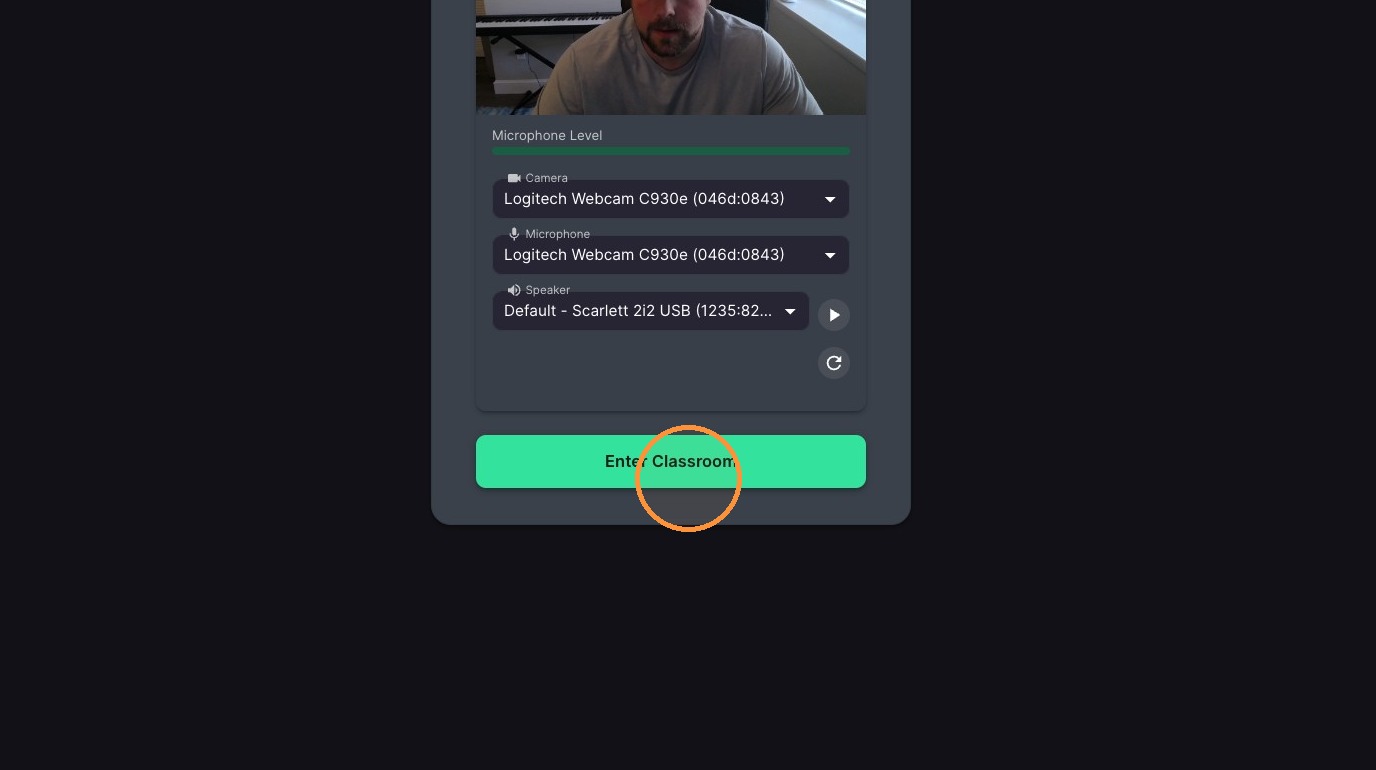
Click the green 'Enter Classroom' button at the bottom of the device window to start the lesson.
Where your lesson appears: when your teacher starts the lesson, an invite appears on your Lessons tab — that is the only place you join from. The Schedule page shows when lessons are planned, but it has no join button, and a lesson on the calendar does not mean it has started.
If Lessons says "No lessons available right now": your teacher has not started the lesson yet, or you are not connected to your teacher. Check that the teacher code is set in your account — you entered it when you signed up, and without it you aren’t connected to your teacher. To add or fix it, open your account settings and go to Profile: the Teacher code field is there and can be entered or changed. A classroom link your teacher shared is a different thing — you open that link in your browser instead.